Most CRMs are built for sales teams with pipelines, forecasts and 40 custom fields. Web designers selling to local businesses need something much simpler. Here's what a CRM for web designers really has to do.
The five must-haves
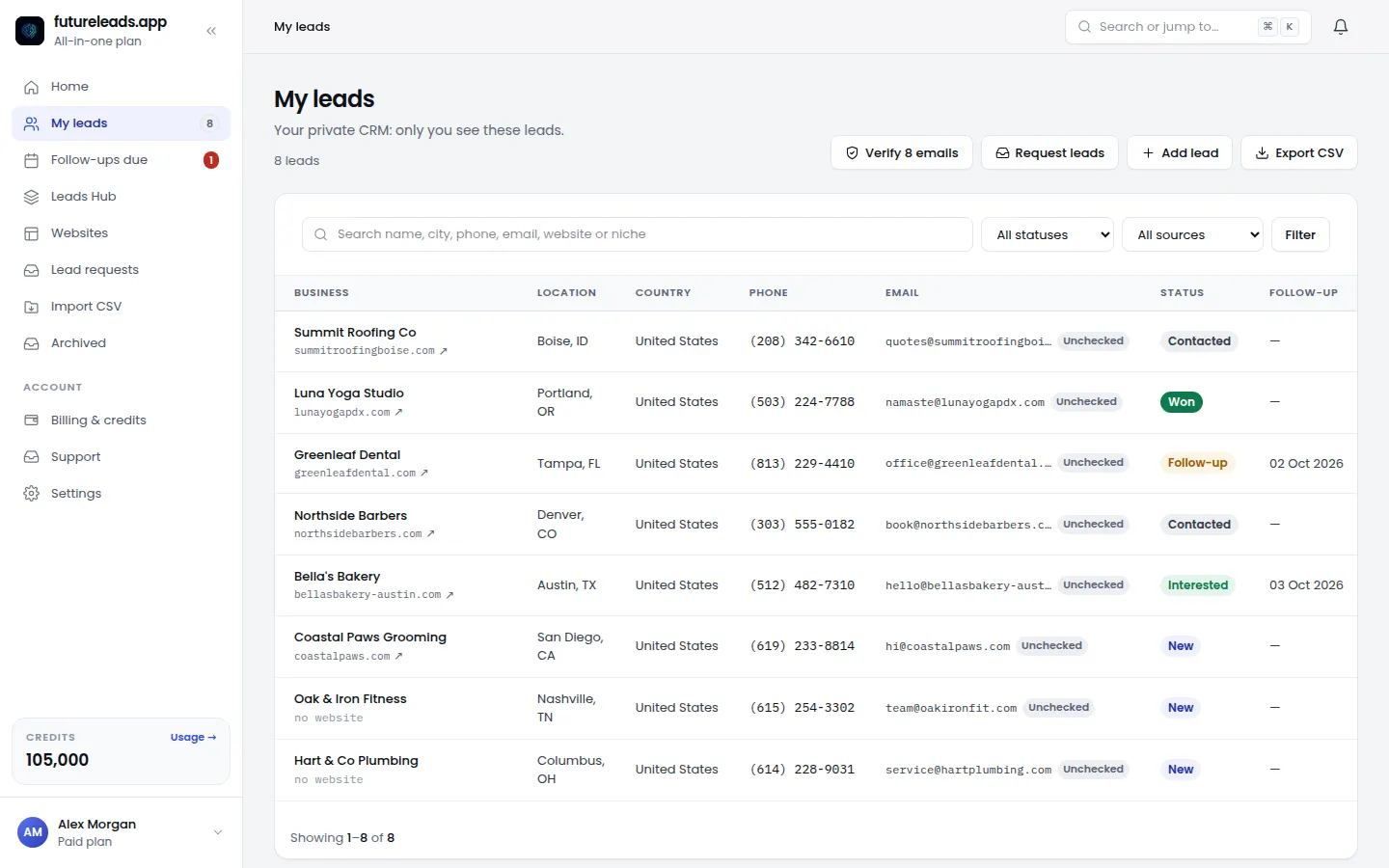
- Statuses that match your process: new, contacted, follow-up, interested, won, lost.
- Follow-up dates with a daily list of what's due.
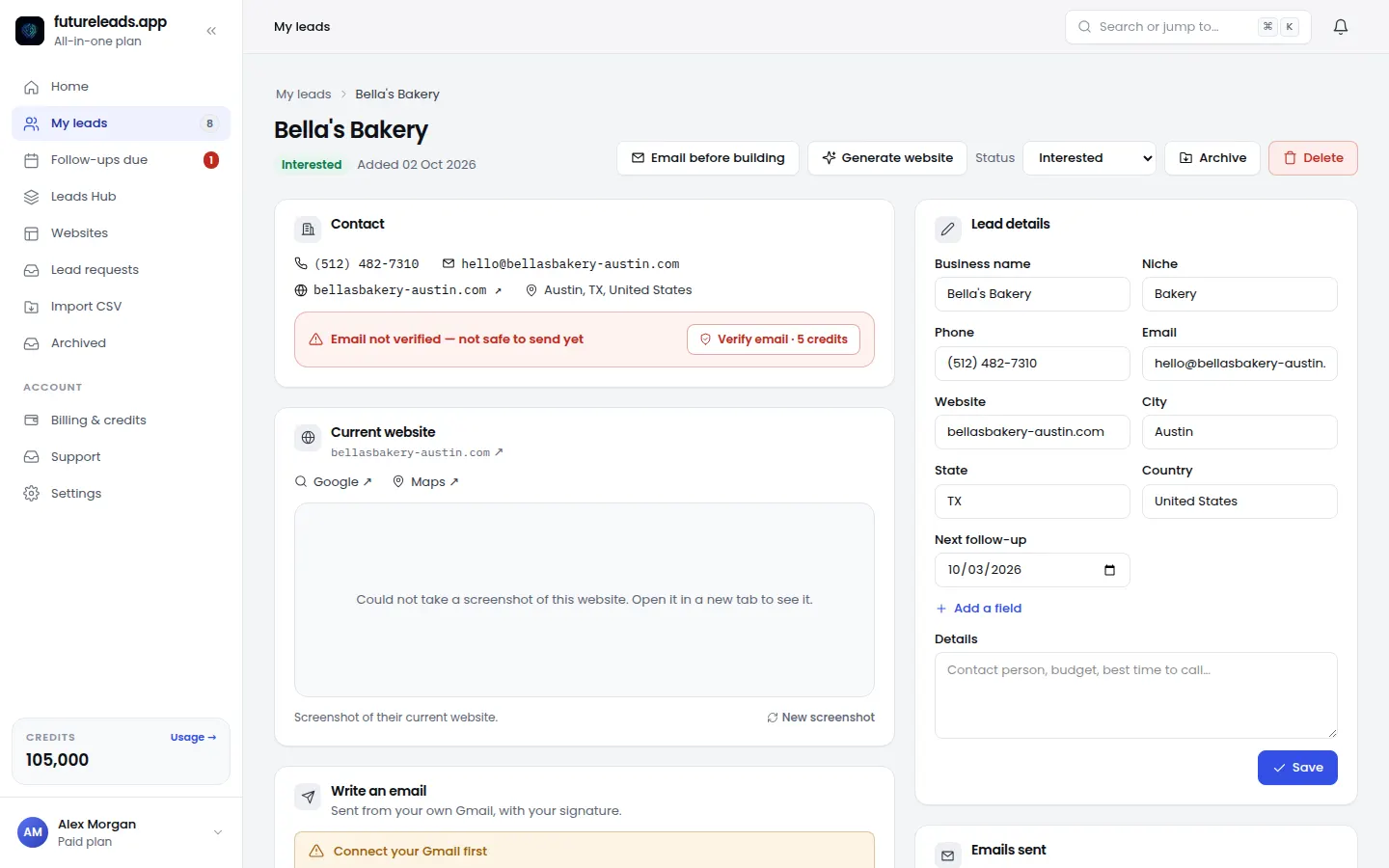
- Notes on every lead so you remember the last conversation.
- Checked emails so your outreach doesn't bounce.
- Send from your own Gmail without copy-pasting between tabs.
Nice to have
- The lead's current website status and a screenshot.
- A one-click website preview for the lead.
- CSV import and export.
- Closers with their own login and commissions.
What to skip
Complex deal stages, forecasting and marketing automation you'll never set up. If a tool takes a week to configure, you'll go back to a spreadsheet.
Pair your CRM with a steady lead source: done-for-you leads or the Leads Hub.
Your CRM, leads and website builder in one plan. Start free — no card needed.
Start free — no card neededor claim up to 3,000 FREE credits with a paid planPick a package: every feature is included in each, paid plans add FREE bonus credits every month, or start free with no card.
Basic
$9.99/month
11,500 credits a month
+ 1,000 FREE credits
- About 261 done-for-you leads
- or 88 AI website previews
- All features included
Pro
$39/month
50,000 credits a month
+ 1,500 FREE credits
- About 1,136 done-for-you leads
- or 384 AI website previews
- All features included
Premium
$79/month
105,000 credits a month
+ 3,000 FREE credits
- About 2,386 done-for-you leads
- or 807 AI website previews
- All features included
Frequently asked questions
Do web designers need a CRM?
Once you contact more than a few dozen businesses, yes. A CRM keeps follow-ups, notes and statuses in one place so no lead slips.
Can I use a spreadsheet instead of a CRM?
For a handful of leads, yes. Beyond that, a simple CRM with follow-up dates saves time and lost deals.