Every email that bounces tells Gmail and Outlook that you might be a spammer. Send enough bounces and even your good emails start landing in spam. That's why you should check an email list before cold outreach, every time.
What email validation checks
- Syntax: is the address formatted correctly?
- Domain and MX records: can the domain receive email at all?
- Mailbox: does this specific inbox exist?
- Risky addresses: disposable, role-based (info@) or catch-all domains.
Step 1: Import your list
Upload your CSV with at least a business name and an email. Columns like niche, city, state, country, phone and website are picked up automatically, and a downloadable template shows the exact format.
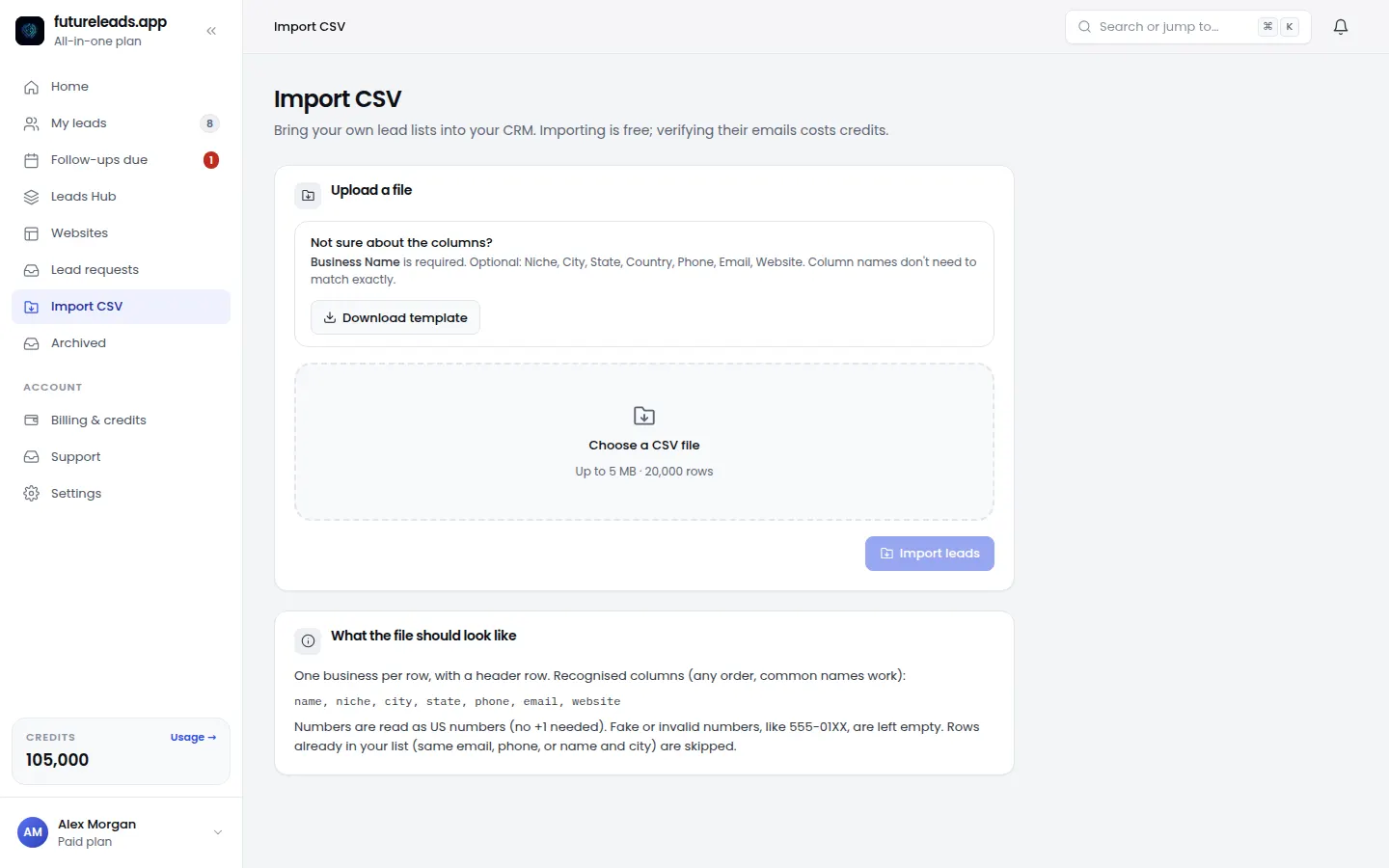
Step 2: Check in bulk
Run validation on the whole list. Each address comes back as checked (safe to send), unsafe (don't send) or unchecked. Only email the checked ones.
Step 3: Send in small batches
Even with a clean list, ramp up slowly: start with 20 to 30 emails a day from a new inbox and increase week by week. Daily limits protect your sender reputation.
What to do with unsafe emails
Don't delete the lead. Call them instead, or look for a contact form or a better address on their website. A phone call to a business with a broken website is often more effective than email anyway.
Next step: write the email. Use our web design cold email template.
1,000 FREE credits = about 200 email validations. Paid plans add them to your balance; you can start free first.
Start free — no card neededor claim up to 3,000 FREE credits with a paid planPick a package: every feature is included in each, paid plans add FREE bonus credits every month, or start free with no card.
Basic
$9.99/month
11,500 credits a month
+ 1,000 FREE credits
- About 261 done-for-you leads
- or 88 AI website previews
- All features included
Pro
$39/month
50,000 credits a month
+ 1,500 FREE credits
- About 1,136 done-for-you leads
- or 384 AI website previews
- All features included
Premium
$79/month
105,000 credits a month
+ 3,000 FREE credits
- About 2,386 done-for-you leads
- or 807 AI website previews
- All features included
Frequently asked questions
Why do I need to check emails before sending?
Bounces damage your sender reputation, which pushes even good emails into spam. Checking first keeps your bounce rate low.
What is a catch-all email domain?
A domain that accepts mail for any address, so an email checker can't confirm the specific inbox exists. Treat catch-all addresses as risky.