Cold outreach for web designers works when you stop sending generic emails to random businesses and start contacting the right ones with a specific, relevant reason. The businesses that convert best are local companies with no website, a broken site, or a slow, non-mobile-friendly one — because you're solving a problem they already have, not selling a nice-to-have.
This guide walks you through a complete system in seven steps: picking a niche, building a targeted lead list, warming up before you contact anyone, writing emails that get replies, calling the right people, following up without being annoying, and tracking everything so you improve each week. You can run the whole process from a free Futureleads.app account — no card needed.
Step 1: Pick a niche and a city before you touch a spreadsheet
The most common cold outreach mistake is emailing every business in town with the same message. It feels efficient, but it kills replies because nothing in your email shows you understand their situation.
Pick one niche and one city to start. Good niches for web design cold outreach include:
- Trades: plumbers, electricians, roofers, landscapers
- Health and beauty: dentists, physios, salons, barbers
- Local services: movers, cleaners, driving instructors, mechanics
- Food and hospitality: restaurants, cafés, caterers
Narrowing down makes everything easier: your email examples become specific ("I noticed your booking form doesn't work on phones"), your portfolio pitch is relevant, and you build a repeatable script you can reuse. If you're stuck, our guide to web design niche ideas breaks down which niches pay well and how to choose one.
Step 2: Build a lead list of businesses that actually need help
Cold outreach for web designers only works if the business has a real problem. Sending a redesign pitch to a company with a beautiful, fast website wastes your time and makes you look careless.
Build your list from businesses that fit one of these buckets:
- No website at all (they're losing customers who search online)
- A broken site: dead links, error pages, broken contact forms
- A slow site or one that doesn't work on mobile
- Outdated design or missing basics like clear contact info and opening hours
You can find these manually through local search and online business listings, but it's slow. Futureleads.app does this in one search: type a niche and a city, and you get local businesses with no website or with a broken, slow, or not-mobile-friendly site — plus their phone number, email, and the specific problems found. That last part matters: when your email says "your homepage takes over 8 seconds to load on mobile," you sound like an expert, not a spammer.
For a deeper dive on the first bucket, see our guide on how to find local businesses without websites.
Aim for a list of 50–100 qualified leads per week. Quality beats volume: 50 well-chosen leads with personalised emails will out-convert 500 generic ones.
Step 3: Warm up your email domain before you send anything
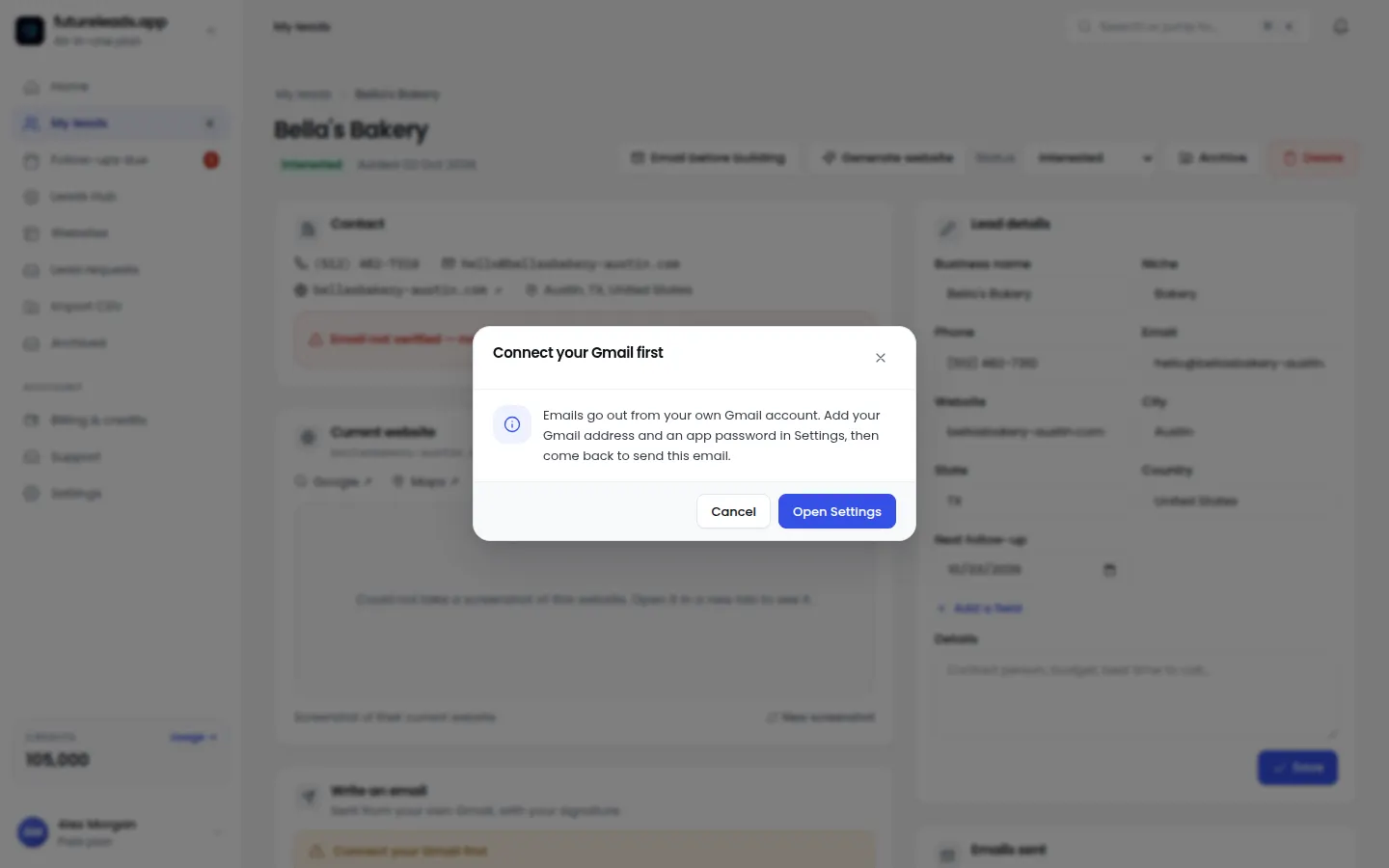
If you're sending cold emails from a brand-new domain or an inbox that's never emailed anyone, you'll land in spam before your first reply. Email providers treat sudden volume from unknown senders as suspicious.
- Use a real domain you own (ideally not your main agency domain for high volume).
- Set up proper authentication: SPF, DKIM, and DMARC records.
- Start small: 5–10 emails a day for the first week, then increase gradually.
- Mix in replies and engagement — reply to every response, even a "no thanks."
- Avoid spammy patterns: no ALL CAPS, no excessive links, no images in the first email.
Our full 14-day email warm-up plan gives you a day-by-day schedule you can follow before your first campaign.
Step 4: Write cold emails that get replies (with a template you can copy)
A good cold email for web design has four parts: a relevant first line, a specific problem you noticed, proof you can fix it, and one easy call to action. Keep it under 100 words. Nobody reads essays from strangers.
Here's a template built around a website problem:
Subject: Quick question about [Business name]'s website
Hi [First name], I was looking for a [niche] in [city] and came across [Business name]. I noticed [specific problem — e.g. your site doesn't load on mobile / your booking form is broken]. I build websites for [niche] businesses in [area], and this is usually a quick fix that brings in more enquiries. Want me to send over a free homepage preview so you can see what it could look like? No cost, no strings. [Your name] [Website / phone]
Why this works: the first line proves it's not a mass email, the problem is something they can verify themselves in 30 seconds, and the ask (a free preview) is low-commitment. For more variants, see our web design cold email template and our collection of cold email subject lines for web design.
The AI preview trick. Instead of describing what you could build, show it. Futureleads.app lets you generate a homepage preview for a business in minutes and send them the link or a QR code — before they've paid you anything. A salon owner tapping a link and seeing a modern mobile-friendly homepage for *their* business is far more convincing than any email paragraph.
Want to try this on real leads? Start a free Futureleads.app account (no card needed) and run one live lead search today to find businesses in your niche with website problems you can fix.
Find businesses that need a website — freeor claim up to 3,000 FREE credits with a paid planStep 5: Add cold calls — most designers skip this, and that's your edge
Email gets ignored; a confident phone call doesn't. You don't need a call centre script, just a simple structure:
- Open: "Hi, is this [name]? I'm [you], a local web designer. Quick call — got 30 seconds?"
- Reason: "I was on your website and noticed [problem]. It's probably costing you enquiries from people searching on their phone."
- Ask: "I put together a quick preview of what a new site could look like for you. Can I text or email you the link?"
- Close: "I'll send it now — keep an eye out. If you like it, we can talk about getting it live."
If they don't answer, leave a short voicemail — our voicemail script for cold calling covers exactly what to say. And don't worry about call volume at first; this guide on how many cold calls per day gives realistic numbers to aim for.
Futureleads.app has a built-in dialer, so you can click a lead and call straight from your browser, with call history and notes saved to each lead. That means when someone calls back a week later, you know exactly what you said.
Step 6: Follow up — most deals happen after the second or third touch
One email and one call is not outreach; it's a try. Local business owners are busy, and your first email often arrives at the worst possible moment. Follow-ups are where the replies come from.
A simple cadence:
- Day 1: First email + a call the same afternoon
- Day 3: Short follow-up email ("Did you get a chance to look at the preview?")
- Day 6: Second call, then voicemail if no answer
- Day 10: Final email: "I'll leave it with you — if website help becomes a priority, I'm here."
Follow-ups should be shorter than the first email. Two sentences is fine. Our full guide on cold email follow-up for web designers has ready-to-use sequences.
Futureleads.app can handle the follow-up emails automatically from your own Gmail or SMTP account, so day-3 and day-10 emails go out on schedule without you remembering anything.
Step 7: Track, qualify, and close in one place
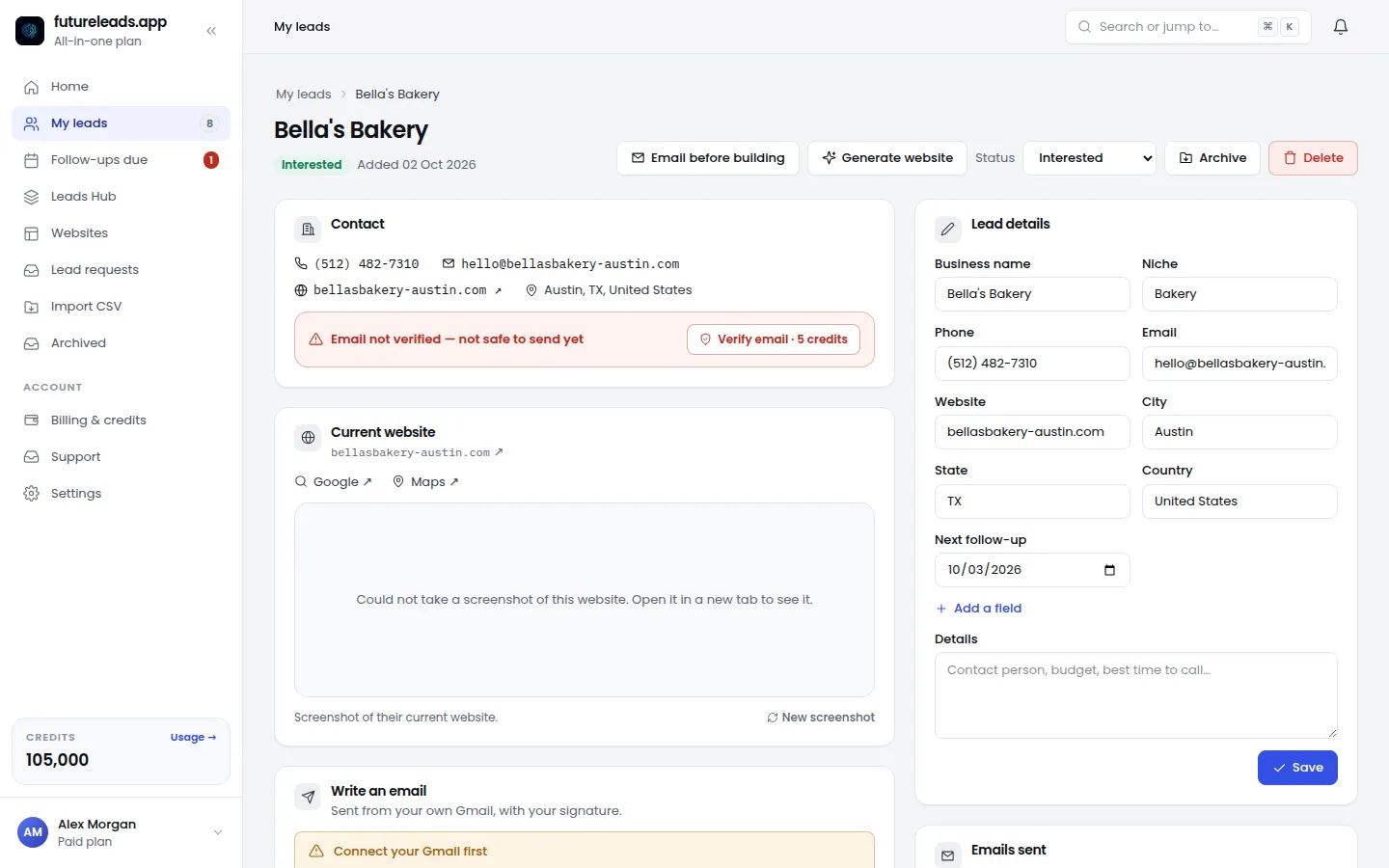
Once outreach is running, your biggest risk is chaos: leads in a spreadsheet, notes on your phone, no idea who you called last Tuesday. A simple CRM fixes this. Futureleads.app includes one — lead statuses, notes, follow-ups, and deals — so every lead has a next step.
Use this weekly checklist to stay on track:
- 50+ new qualified leads added to the pipeline
- Every new lead gets a first email and one call attempt
- Follow-ups sent on schedule (automated if possible)
- Replies answered within a few hours
- Interested leads moved to "proposal" status with a date
- Notes updated after every call or reply
When a lead says yes, don't overcomplicate the close. Send a clear proposal (our website design proposal template helps) and price with confidence using this guide on how to price a website for a small business. If you're running your own outreach and closing at the same time, it may be time to hire a closer for your agency — Futureleads.app's team feature lets you assign leads and see your closers' calls and deals.
Email vs. calls vs. previews: what to use and when
Here's a quick comparison to help you decide how to spend your outreach time:
- Cold email — best for reaching many leads at once with a specific problem; needs a warmed-up domain and good follow-up.
- Cold calls — best for immediate conversations and qualifying fast; works especially well for trades and owner-run businesses.
- AI website previews — best for converting warm interest; showing beats telling, and it costs you minutes to make.
- Voicemail — best as a bridge; keep it under 20 seconds and always pair it with an email so they have something to reply to.
The strongest campaigns use all three: email to open the door, a call to build trust, and a preview to close.
Common cold outreach mistakes web designers make
Avoid these and your reply rates improve immediately:
- Sending the same email to every business with no personalisation
- Pitching your services instead of pointing out a problem they can see
- Giving up after one email instead of following up
- Contacting businesses with excellent websites (wrong leads, wasted time)
- Long emails with attachments and links everywhere
- No tracking, so the same lead gets contacted twice or dropped
If you're new to all of this, our guide on how to get web design clients without experience covers the full picture, and lead generation for web designers shows how outreach fits into a bigger system.
Ready to put this into practice? Create your free Futureleads.app account (no card required) and send your first outreach campaign to local businesses that genuinely need a new website.
Find businesses that need a website — freeor claim up to 3,000 FREE credits with a paid planFinal word
Cold outreach for web designers isn't about clever tricks — it's about the right leads, a specific message, consistent follow-up, and a system that tracks it all. Do those four things for a few weeks and outreach becomes a predictable source of clients instead of a gamble.
Frequently asked questions
- Does cold outreach actually work for web designers? Yes, when it's targeted. Emails and calls to businesses with visible website problems (no site, broken, not mobile-friendly) get far more replies than generic mass outreach.
- How many cold emails should I send per day? Start with 10–20 per day while your domain warms up, then scale to 30–50 with follow-ups included. Quality and personalisation matter more than volume.
- Should I call or email first? For owner-run local businesses, email first then call the same day works well. The email gives context; the call gets you an answer.
- What should I say when a business says they already have a website? Acknowledge it and point to the specific issue: "You do have one — but it doesn't work properly on phones, which is where most of your customers are."
- Do I need a portfolio to start cold outreach? No. An AI-generated homepage preview of *their* new site is more persuasive than a portfolio of work for other industries.
Pick a package: every feature is included in each, paid plans add FREE bonus credits every month, or start free with no card.
Basic
$9.99/month
11,500 credits a month
+ 1,000 FREE credits
- About 261 done-for-you leads
- or 88 AI website previews
- All features included
Pro
$39/month
50,000 credits a month
+ 1,500 FREE credits
- About 1,136 done-for-you leads
- or 384 AI website previews
- All features included
Premium
$79/month
105,000 credits a month
+ 3,000 FREE credits
- About 2,386 done-for-you leads
- or 807 AI website previews
- All features included