A niche is simply the type of business you sell websites to: dentists, roofers, gyms, restaurants. Picking one makes your outreach sharper, your proposals faster and your pricing easier, because you stop reinventing your pitch for every client.
This guide gives you 15 web design niche ideas that work well for freelancers and small agencies, explains what makes a niche profitable, and shows you how to find businesses in your niche that actually need a website right now.
What makes a web design niche profitable?
Not all niches are equal. Before you commit, check the niche against four things:
- They make money per customer. A roofer can earn thousands from one job, so a website that brings leads is worth paying for. A hobby shop earning small baskets has less reason to invest.
- They compete locally. Businesses that fight for the same local customers (dentists, plumbers, lawyers) care about being found online.
- They are easy to reach. They list phone numbers and emails publicly, answer the phone during work hours, and the owner is usually the person you speak to.
- The website is simple to build. Most local niches need 3–7 pages: home, services, about, contact, maybe reviews or a booking form. That means fast delivery and healthy margins.
If a niche ticks all four, you can repeat the same pitch, the same package and the same preview template dozens of times. That repetition is where the profit lives.
15 web design niche ideas that work for local selling
Here are 15 niches ranked roughly by how easy they are to sell to as a solo designer or small agency:
- Roofers and exterior contractors. High-value jobs, fierce local competition, and many still run on outdated or missing websites.
- Dentists and orthodontists. Patients search locally before booking, and practices understand the value of new patient inquiries.
- HVAC, plumbing and electrical companies. Emergency services mean people search at the moment of need. A fast, mobile-friendly site converts those searches.
- Law firms and solo attorneys. One client can be worth a lot. They respond well to a professional preview and a clear proposal.
- Med spas, salons and barbershops. Visual businesses that benefit from photo-heavy sites and online booking links.
- Chiropractors and physiotherapy clinics. Local, appointment-based, and often with slow, dated websites.
- Landscapers, pool builders and paving companies. Portfolio-driven work — before/after photos sell their services and your design.
- Restaurants and cafés. Simple sites, but high volume. Menu, hours, photos, online ordering link. Fast to build, easy to sell in person.
- Gyms, yoga studios and personal trainers. Class schedules, memberships and trial offers give you clear sections to design around.
- Auto repair and detailing shops. Local searches, repeat customers, and websites that are often years out of date.
- Cleaning services (home and office). Simple service sites with quote forms. Owners are easy to reach by phone.
- Moving companies and junk removal. Quote-driven businesses where a contact form directly equals revenue.
- Pet services: groomers, vets, dog trainers, boarding. Friendly niche, easy outreach, simple sites.
- Accountants and bookkeepers. Slower sales cycles, but they understand ROI and often need more than one page.
- Wedding vendors: photographers, venues, florists, DJs. Highly visual, competitive, and they judge a website by how it looks — which is exactly what you sell.
You do not need to marry one niche forever. Pick one or two to start, master the pitch, then expand. If you are still deciding whether niching makes sense at all, it helps to first understand how to find web design clients in general — a niche just concentrates that effort.
The 4 fastest niches for a beginner
If you are starting out or selling alongside a full-time job, start where the sales cycle is shortest:
- Trades (roofers, plumbers, electricians): the owner answers the phone, the need is obvious, and a simple 5-page site is enough.
- Restaurants and cafés: walk in, show a preview on your laptop, close the same week.
- Cleaning services: quote-form sites are quick builds and owners are used to paying for leads.
- Home services like moving or junk removal: the connection between a website and booked jobs is easy to explain in one sentence.
Niches to be careful with
Some niches are popular but harder for beginners:
- E-commerce stores: long builds, ongoing support, and clients who expect sales results, not just design.
- Medical and legal with compliance needs: doable, but expect more questions and revisions.
- Startups: unpredictable budgets and constant changes.
- Nonprofits and community groups: often tiny budgets and committee decisions that drag on.
None of these are off-limits. Just know that your first niche should be one where you can close a deal in days, not months, so you build confidence and cash flow.
How to validate a niche before you commit
Before building a whole pitch around a niche, spend an hour testing it:
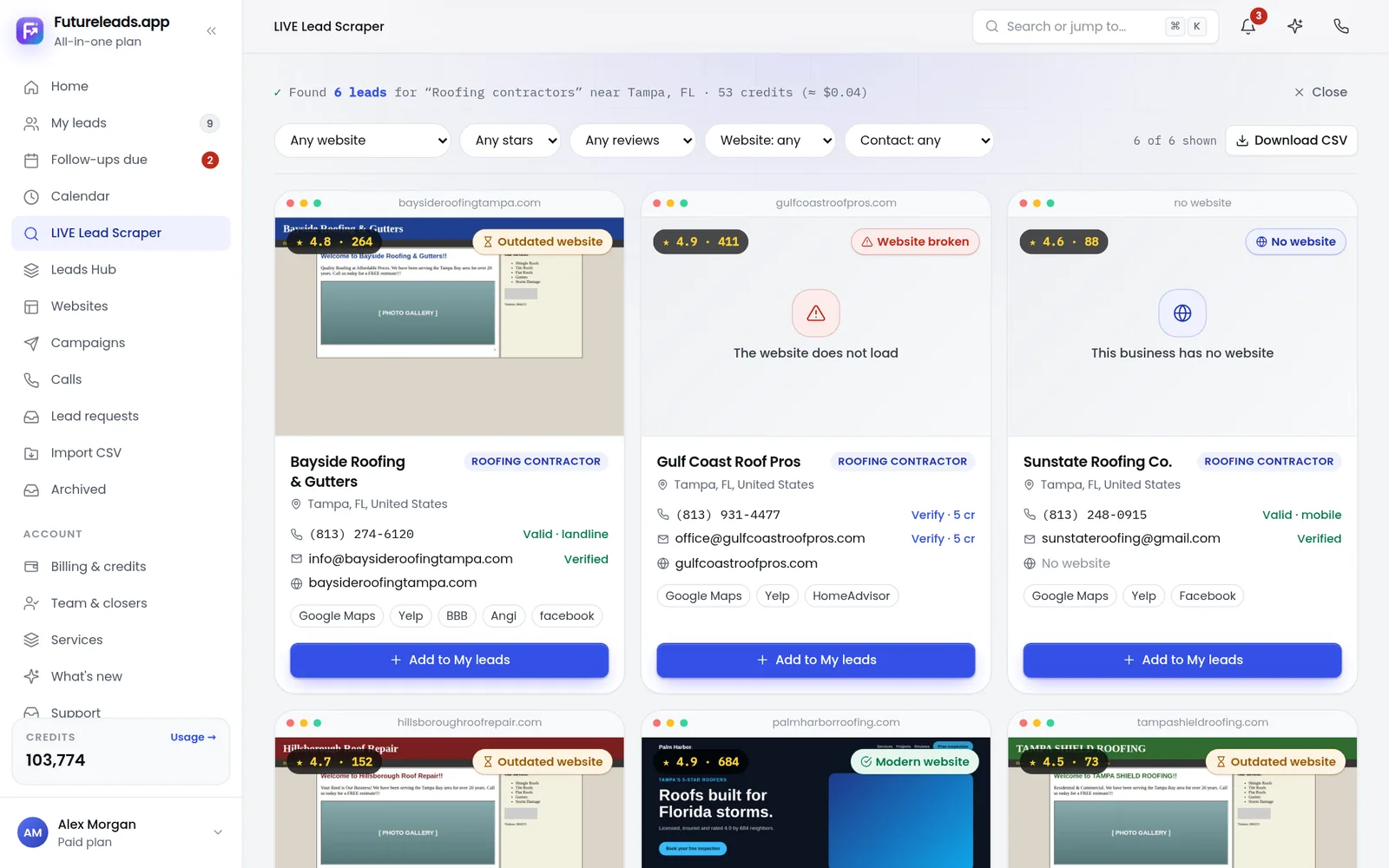
- Search the niche plus your city (for example, "roofers in Tampa") in local search and online business listings.
- Check the first 20–30 results. How many have no website at all? How many have a broken, slow or not-mobile-friendly site?
- Note how many list a phone number and email. If you cannot contact them, you cannot sell to them.
- Call or email three of them with a simple opener (script below) and see how they respond.
If most businesses in the niche have no website or a broken one, and they answer the phone, you have found a working niche. This is exactly what Futureleads.app does: you search a niche and city and get a list of local businesses with no website, or with a slow, broken or not-mobile-friendly site, along with their phone number, email and the specific problems found. That turns niche validation from guesswork into a five-minute search — and the free account gives you a live lead search every day, no card needed.
Pick one niche from the list, run your first search in Futureleads.app and see exactly which local businesses need a website — start a free account, no card required.
Find businesses that need a website — freeor claim up to 3,000 FREE credits with a paid plan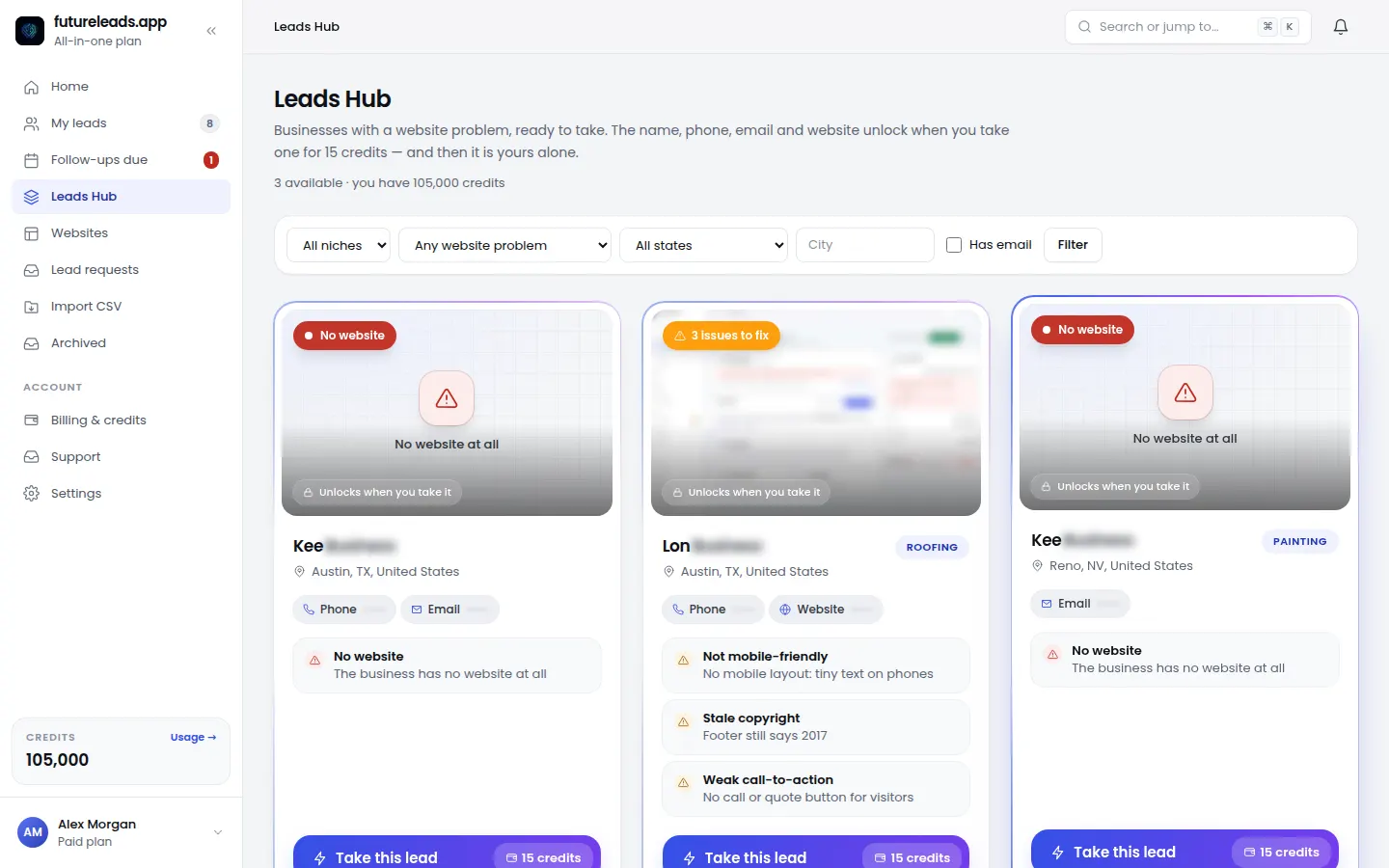
How to choose YOUR niche: a 5-question checklist
Work through this checklist with two or three niches from the list. Pick the one with the most yes answers:
- Interest: can you picture building five websites for this niche without getting bored?
- Access: are these businesses easy to find and contact in your city or target region?
- Need: do enough of them have no website or a badly dated one?
- Speed: can you build a typical site for them in under two weeks?
- Repeat potential: could this niche also buy maintenance, hosting or updates from you later?
That last question matters more than people think. Maintenance and care plans turn a one-off project into monthly income. Learn how to structure that in website maintenance packages and how much to charge for website maintenance.
Your first outreach script for any niche
Once you have a niche, outreach becomes a template with a few variables swapped. Here is a cold email you can adapt today:
Subject: Quick question about [Business Name]'s website
"Hi [First Name], I came across [Business Name] while looking at [niche] in [City] and noticed you don't have a website (or: your site isn't showing up well on mobile). Most of your customers search on their phone first, so that's leads walking away. I put together a quick homepage preview so you can see what it could look like — no obligation: [link]. Worth a 5-minute call this week? — [Your name], [Your business]"
The AI website previews in Futureleads.app make this script practical: build a homepage preview for a specific business in minutes, send the link or a QR code, and let the preview do the selling before any payment. You can grab more variations in our web design cold email template guide and tighten your subject lines with cold email subject lines for web design.
Calling vs emailing by niche
Different niches respond to different channels:
- Best reached by phone: trades, cleaning, moving, auto repair, restaurants. Owners pick up, decisions are fast. Use our cold calling script for web design clients and a voicemail script for when they don't pick up.
- Best reached by email: accountants, law firms, med spas, wedding vendors. More formal, prefer to read first.
- Best reached in person: restaurants, cafés, salons, barbershops. Walk in during a quiet hour with a preview on your screen.
A practical rule: email first, call two or three days later. Futureleads.app includes a browser dialer with call history and notes, plus cold email campaigns with automatic follow-ups from your own Gmail or SMTP account, so both channels live in one place alongside your lead list.
From niche to repeatable system
The real payoff of niching is repeatability. Here is the full loop to build once you pick your niche:
- Search your niche + city and build a list of businesses with no website or a broken one.
- Sort leads into statuses (new, contacted, preview sent, call booked, closed) in a simple CRM so nothing slips.
- Send a personalized preview to each promising lead — link or QR code.
- Follow up on a schedule: email, then call, then a second email. Our cold email follow-up for web designers guide gives you the sequence.
- Send a proposal fast when they show interest — start from our website design proposal template.
- Invoice cleanly with a branded template like our web design invoice template.
- Offer maintenance after launch so the relationship (and income) continues.
Once this loop works for one niche, scaling means running the same loop in a new city or a second niche — not reinventing your sales process. If you want the wider picture of turning this into a business, read how to make money selling websites and how to price a website for a small business.
Common niche mistakes to avoid
- Chasing a niche with no need. Some industries are already saturated with good websites. Validate before committing.
- Choosing a niche you can't reach. If owners don't publish contact details or never answer, your outreach dies quietly.
- Selling design instead of outcomes. In every niche, the pitch is the same: the site brings calls, bookings and quote requests. Frame everything around that.
- Niching too narrowly too soon. "Dental implant clinics in towns under 50,000 people" sounds smart but starves your pipeline. Start at "dentists in your region" and narrow later.
For a deeper diagnosis of what's wrong with a prospect's current site before you pitch, run it through our website audit checklist — and if you're unsure whether they'd even benefit from a redesign, these signs a business needs a new website make the case for you.
FAQ
What is a niche in web design?
A niche is the specific type of client you focus on, usually by industry (dentists, roofers, restaurants) and often by location too. Niching lets you reuse the same pitch, pricing and templates across many similar businesses.
Do I really need a niche as a freelance web designer?
You can start without one, but a niche makes outreach faster and proposals easier because you already know the client's typical pages, problems and budget. Most designers adopt one within their first few clients.
Which niche is best for beginner web designers?
Trades and home services (roofers, plumbers, cleaners, movers) are the easiest start: simple sites, reachable owners, and an obvious link between a website and new jobs.
How do I find businesses in my niche that need a website?
Search the niche plus a city in local search and online business listings, and check which ones have no site or a slow, broken, non-mobile one. Futureleads.app automates this: one search gives you the businesses, their contact details and the exact problems found.
Should I niche by industry or by location?
For local selling, industry first and location second: pick an industry with clear need, then work it city by city. Location-only niching ("small businesses in my town") works too but gives you less reusable material.
Pick one niche and take the first step today
You now have 15 niches, a way to validate them, and a repeatable outreach loop. The only thing left is the lead list. Futureleads.app finds the businesses in your niche that have no website or a broken one, gives you their phone and email, and lets you send previews, campaigns and calls from one dashboard.
Start a free Futureleads.app account today — no card needed — and search your first niche and city in the next five minutes.
Find businesses that need a website — freeor claim up to 3,000 FREE credits with a paid planPick a package: every feature is included in each, paid plans add FREE bonus credits every month, or start free with no card.
Basic
$9.99/month
11,500 credits a month
+ 1,000 FREE credits
- About 261 done-for-you leads
- or 88 AI website previews
- All features included
Pro
$39/month
50,000 credits a month
+ 1,500 FREE credits
- About 1,136 done-for-you leads
- or 384 AI website previews
- All features included
Premium
$79/month
105,000 credits a month
+ 3,000 FREE credits
- About 2,386 done-for-you leads
- or 807 AI website previews
- All features included