Lead generation for local marketing agencies comes down to one thing: finding local businesses with a real, visible problem you can fix — no website, a broken one, or a site that fails on mobile — and reaching them with the right offer. Most agencies make this harder than it needs to be by chasing the wrong businesses or sending generic messages that get ignored.
This article gives you a repeatable 7-step system: pick a profitable niche, build a lead list with real problems attached, reach out by email and phone, send website previews that sell themselves, follow up without being annoying, close with a simple proposal, and track everything in one place. You can start the whole process today with a free Futureleads.app account — no card needed.
1. Pick one niche and one city before you do anything else
Agencies that struggle with lead generation almost always try to sell to everyone. "I build websites for small businesses" gets zero traction. "I help dentists in Austin get more bookings with a faster website" gets replies. Specializing makes your outreach more relevant, your examples more convincing, and your pricing easier to justify.
How to choose your niche:
- Pick industries where a website directly drives revenue: dentists, roofers, plumbers, lawyers, landscapers, salons, auto repair, chiropractors, restaurants.
- Pick a city or area you can name-drop naturally — "I work with businesses in [city]" builds instant trust.
- Check you can actually spot problems in that niche: slow sites, no booking forms, broken mobile layouts.
If you're not sure where to start, this guide on finding local businesses without websites shows which industries have the biggest gaps.
2. Build a lead list of businesses with a visible problem
A list of names and phone numbers is worthless. A list of businesses with a diagnosed problem — no site, no mobile version, slow loading, missing contact info — is a sales pipeline. That's the core of lead generation for local marketing agencies: quality of the problem, not size of the list.
What every good lead should have:
- Business name, phone number and email you can actually reach.
- The specific problem found: "no website", "site not mobile-friendly", "broken pages", "slow loading".
- A note on what you'd offer them — this becomes your outreach message.
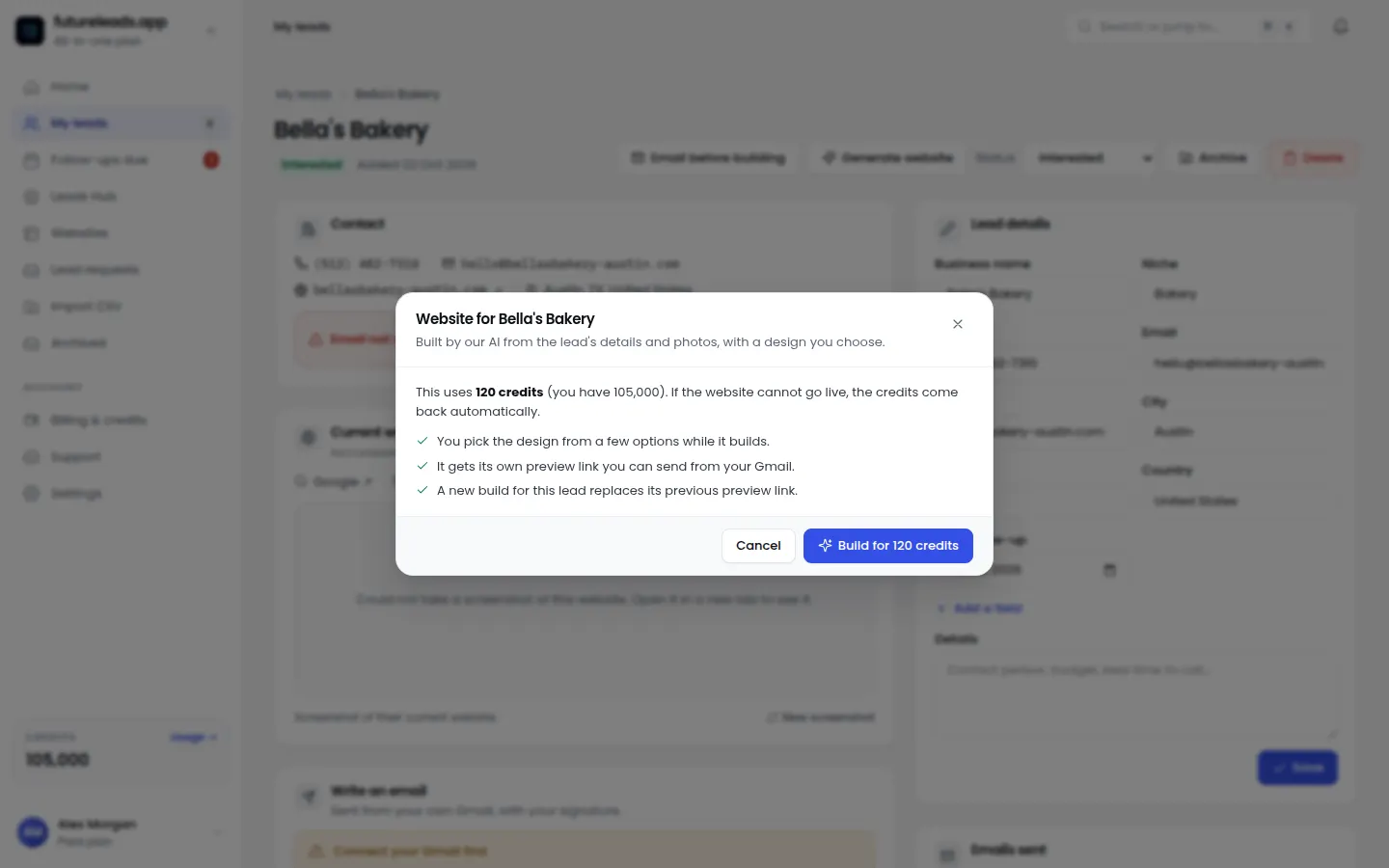
This is exactly what Futureleads.app is built for: search a niche and a city, and it shows you local businesses with no website or a broken, slow, or non-mobile-friendly site — with phone, email and the problems found. You get a ready-to-work Leads Hub instead of hours of manual searching. For a deeper process, see our guide on finding businesses with bad websites.
3. Lead with the problem, not your services
Nobody cares that you "design beautiful websites." They care that customers are leaving their site because it doesn't work on a phone. Every message you send should name the specific problem you found on their site and the simple business outcome of fixing it: more calls, more bookings, more quote requests.
Compare these two openers:
- Weak: "Hi, I'm a local web designer and I'd love to build you a new website."
- Strong: "Hi Sarah, I tried to view your site on my phone and the menu doesn't open — I couldn't find your booking number. I fix sites like this for [niche] businesses in [city]."
: "},{
Want to see which local businesses near you have a broken or missing website? Start a free Futureleads.app account — no card — and run your first lead search today.
Find businesses that need a website — freeor claim up to 3,000 FREE credits with a paid plan4. Reach out with email and calls — combined
One channel is never enough. Email lets you show details; a call lets you have a real conversation. The agencies that fill their pipeline use both, in a simple rhythm: an email first, a call a day or two later, then a follow-up email.
Ready-to-copy cold email template
Subject: Quick fix for your [niche] website in [city]
Hi [Name], I was looking at [Business Name] online and noticed your site doesn't work properly on mobile — the pages don't load right, so people searching for [service] in [city] are probably calling someone else. I fix websites for [niche] businesses locally. I put together a quick preview of what your site could look like — want me to send the link? [Your name] [Phone]
Keep it under 100 words, mention one specific problem, and end with a small yes. For more variations, grab our web design cold email template and these cold email subject lines for web design. When you're ready to send, Futureleads.app runs cold email campaigns from your own Gmail or SMTP with automatic follow-ups, so every lead gets a full sequence, not just one message.
Cold call opener
"Hi [Name], this is [You] — I'm a local web designer. I was on your website this morning and noticed it doesn't work on mobile. Did you know that? ... That's usually costing local businesses calls. I help [niche] businesses in [city] fix exactly this — got two minutes?"
Make your calls straight from the browser with Futureleads.app's built-in dialer — call history and notes are saved to each lead automatically. Not sure what to say next? Our cold calling script for web design clients walks through the whole conversation.
5. Send an AI website preview instead of asking for a meeting
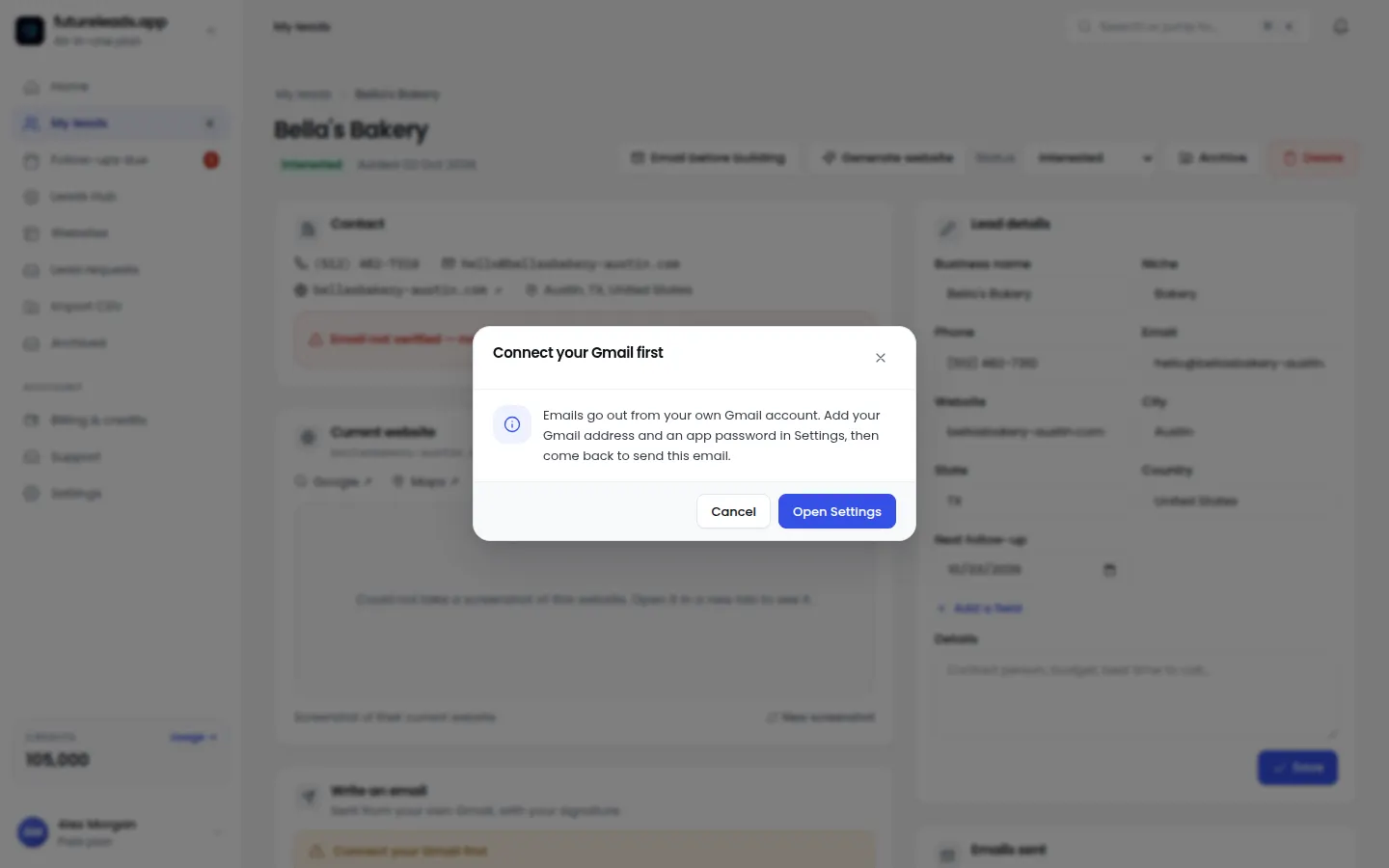
The hardest part of selling websites is that the client can't imagine the result. So don't make them imagine it — show them. With Futureleads.app you can build an AI homepage preview for a business in minutes and send them the link or a QR code before they've paid you anything.
Why this works so well:
- It turns "tell me about your services" into "look at this" — a visual, not a pitch.
- The business owner sees their own name, colors and services on a real page.
- It gives your follow-up a natural reason: "Did the preview link come through?"
: "},{
Example follow-up line: "Hi [Name], I put together a quick homepage preview for [Business Name] — here's the link: [link]. If you like it, I can have the full site live within two weeks. Worth a quick chat?"
6. Follow up 4–5 times — most replies come from follow-ups
Most agencies send one email, hear nothing, and move on. That's why their pipeline is empty. Local business owners are busy; your first two messages often just didn't land at the right time. A simple follow-up sequence fixes this:
- Day 1: first email naming the specific problem.
- Day 2–3: a call. Voicemail if no answer.
- Day 4: follow-up email with your website preview link.
- Day 7: another call or a short email: "Any thoughts on that preview?"
- Day 14: a final "closing the loop" email — sometimes this one gets the reply.
: "Let them buy" call: "Hi [Name], should we just get started? I can begin this week."
Use our full cold email follow-up guide for web designers for message-by-message breakdowns, and this voicemail script for when calls go unanswered.
7. Track every lead in a simple CRM and close with a clear proposal
Lead generation falls apart when follow-ups live in your head or a messy spreadsheet. You need one place where every lead has a status, a next step and a history — that's how you make sure nobody slips through the cracks. Futureleads.app includes a built-in CRM with lead statuses, notes, follow-ups and deals, so your whole pipeline is next to your lead list, dialer and email campaigns.
If you're scaling, you can add closers to your team, assign leads, and see their calls and deals in one dashboard. For a full walkthrough of what happens after a lead says yes, read our web design sales process guide.
Pipeline checklist
- Every lead has a status: new, contacted, call booked, preview sent, proposal sent, won, lost.
- Every lead has a next action with a date — no lead sits without a follow-up.
- Every call and email is logged automatically or in one click.
- Lost leads get a reason and a revisit date — many come back later.
- Proposals use a template, not a blank page.
When it's time to close, send a short, clear proposal — here's our website design proposal template — and follow up properly using these steps after sending a proposal.
A simple weekly routine that keeps your pipeline full
- Monday: build a fresh list of 30–50 leads in your niche and city.
- Tuesday–Thursday: send 10 emails a day and make 10–15 calls a day.
- Every day: send follow-ups to leads from 3–7 days ago.
- Friday: review your pipeline, clean up statuses, plan next week's list.
- Ongoing: send website previews to every warm lead before your first meeting.
For more on outreach structure and volume, see how many cold calls per day makes sense and our full cold outreach guide for web designers.
Ready to build your pipeline? Start a free Futureleads.app account — no card — and run your first live lead search, send your first preview, and log your first call today. Paid plans start from $9.99/month when you're ready for more credits.
Find businesses that need a website — freeor claim up to 3,000 FREE credits with a paid planPick a package: every feature is included in each, paid plans add FREE bonus credits every month, or start free with no card.
Basic
$9.99/month
11,500 credits a month
+ 1,000 FREE credits
- About 261 done-for-you leads
- or 88 AI website previews
- All features included
Pro
$39/month
50,000 credits a month
+ 1,500 FREE credits
- About 1,136 done-for-you leads
- or 384 AI website previews
- All features included
Premium
$79/month
105,000 credits a month
+ 3,000 FREE credits
- About 2,386 done-for-you leads
- or 807 AI website previews
- All features included
Frequently asked questions
What is lead generation for local marketing agencies?
It's the process of finding local businesses that need marketing or web services — for example businesses with no website or a broken one — and turning them into clients through outreach. The key is building lists of businesses with a specific, visible problem you can fix.
How do I find local businesses that need a website?
Search your target niche and city and check which businesses have no site, a non-mobile-friendly site, or broken, slow pages. Tools like Futureleads.app automate this and give you phone, email and the problems found in one list.
Cold calls or cold emails: which works better for web design?
Both — they work best together. Email carries the details and links; calls create real conversations. A rhythm of email, call, follow-up email consistently beats either channel alone.
How many follow-ups should I send before giving up on a lead?
Plan for 4–5 touches over about two weeks across email and phone, then move the lead to a revisit list. Many local business owners reply only after the third or fourth contact, and some come back months later.
Do I need a paid account to start generating leads?
No. Futureleads.app offers a free account with no card required — you get the dashboard and a live lead search every day. Paid packages start from $9.99/month when you want more leads, previews and outreach.