Most web designers don't lose deals because of their design skills. They lose them because there's no repeatable web design sales process: they email a few people, wait, get ignored, and give up. A process fixes that. It tells you exactly what to do on Monday morning, how to follow up without feeling awkward, and when to move a lead forward or drop it.
This guide gives you a 7-step sales process built for selling websites to local businesses. It includes a weekly routine, ready-to-use scripts, a checklist and a simple way to track everything. You'll also learn the two biggest mistakes that kill local deals, so you can avoid them from day one.
Step 1: Build a list of local businesses that actually need a website
Everything in your sales process starts with the right list. If you contact random businesses, you'll spend most of your day explaining why a website matters. If you contact businesses with no website, a broken site or a slow, not-mobile-friendly one, half your pitch is already done: the problem is visible, you just have to prove you can fix it.
- Pick a niche (dentists, landscapers, restaurants, plumbers) and a city.
- Search local business listings and directories for that niche and city.
- For each business, note: name, phone, email, website status (none / slow / broken / not mobile-friendly), and the specific problem you found.
- Aim for a list of 30-50 leads per week. More isn't better if you can't follow up properly.
- Sort the list: businesses with no website first (easiest pitch), then badly broken sites, then slow or outdated ones.
How to build a working lead list:
Doing this manually takes hours per city. Futureleads.app does it in minutes: search a niche and city, and it shows local businesses with no website or a broken, slow or not-mobile-friendly site, with contact details and the problems found. You can also read our guide on finding local businesses without websites for a manual method.
Step 2: Pick one niche and learn its language
Local owners don't buy "responsive design" or "SEO optimisation". They buy more phone calls, more table bookings, more quote requests. Before you contact anyone, spend an hour answering these questions for your niche:
- A dentist wants new patient bookings.
- A landscaper wants quote requests in spring.
- A restaurant wants online orders and reservations.
- A plumber wants emergency calls from nearby.
- A lawyer wants consultations from their city only.
What does this business want more of?
Then use their words in your outreach. "A fast site that turns searches into booked jobs" beats "a modern mobile-first design" every time. If you're still choosing a niche, our article on how to find web design clients covers which niches are easiest to start with.
Step 3: Reach out with a specific problem, not a generic pitch
Your first message should name one real problem you found on their site (or the fact they don't have one). Generic emails get deleted. Specific ones get replies. Here's a first-contact email you can adapt:
Subject: Quick question about [Business name]'s website Hi [Name], I tried to open your site on my phone and it took a while to load and the menu didn't work well on mobile. Most of your customers will find you on their phone, so that could be costing you calls. I build websites for [niche] in [city]. I put together a quick preview of what a faster version of your site could look like, no strings attached, and I'd be happy to send it over. Worth a look? [Your name]
For businesses with no website at all, tweak the angle: "I searched for service] in [city] and couldn't find you, which means people who search are finding your competitors instead." More email angles, including subject lines, are in our [web design cold email template and cold email subject lines for web design guides.
Step 4: Send a preview before they pay anything
This is the step that separates designers who close from designers who don't. Instead of asking a stranger to "book a call to discuss a possible project", show them their new homepage first. It turns an abstract pitch into something they can see, react to and imagine owning.
- Build a simple homepage preview for their business (their name, services, photos, contact details).
- Host it on a link only they can open, or generate a QR code you can show or send.
- Send it with one line: "Here's a quick preview I made for [Business name], take a look and tell me what you'd change."
- Never ask for money at this stage. The preview earns you the conversation.
- Log the send date and set a follow-up reminder before you move on to the next lead.
How to run the preview step:
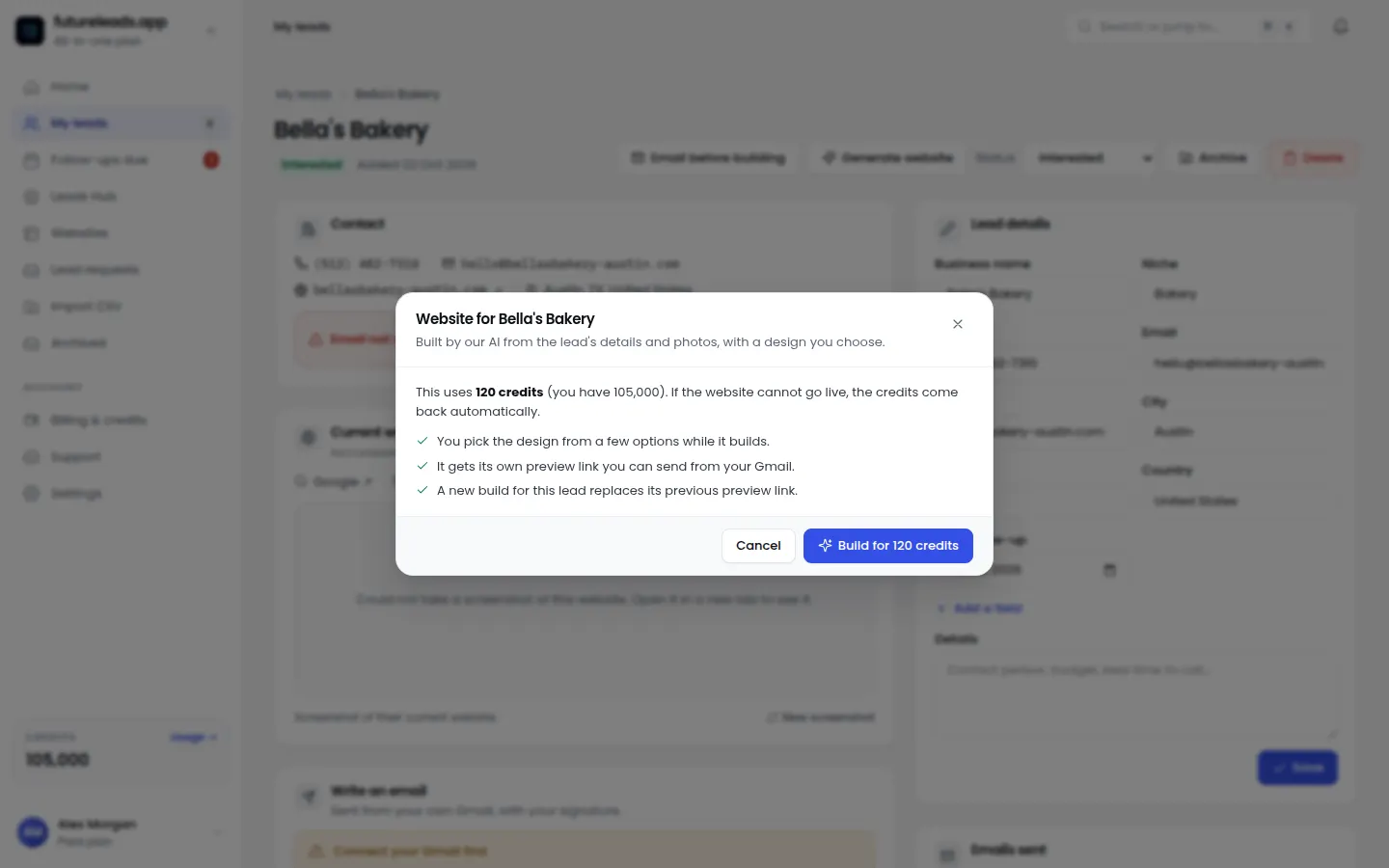
This used to take a full day per prospect, which is why most designers skipped it. Futureleads.app builds an AI website preview in minutes and gives you a shareable link and QR code to send, so you can actually do this for every serious lead. For more on this workflow, see our AI website generator for agencies guide.
Step 5: Follow up until you get a yes or a no
Most local deals are won on the third or fourth touch, not the first. If you stop after one email, you're only talking to the tiny minority who reply immediately. A simple follow-up rhythm:
- Day 1: first email with the specific problem.
- Day 3: reply to your own email: "Just bumping this up in case it got buried, the preview link is still live."
- Day 6: call. If no answer, leave a short voicemail.
- Day 9: send the preview link if you haven't already.
- Day 14: final email: "I'll leave the preview up for a few more days, after that I'll close it down. If the timing's bad, no problem, just let me know."
Your follow-up sequence:
The last message with a deadline is the one that often gets a reply, because closing the preview creates a reason to act now. Full templates are in our cold email follow-up for web designers and voicemail script for cold calling guides, and our cold calling script for web design clients covers the phone side.
Futureleads.app includes cold email campaigns with automatic follow-ups and a built-in dialer for calls. Start a free account (no card) and run this exact follow-up sequence on your first 10 leads this week.
Find businesses that need a website — freeor claim up to 3,000 FREE credits with a paid plan
Step 6: Have the discovery conversation, then send a clear proposal
Once they're interested, stop pitching and start asking. A 15-minute conversation on a call or in person does more than any email. Ask about their customers, what a new client is worth to them, and what frustrates them about their current setup. Then quote with confidence, not a vague "it depends".
- "Where do most of your new customers come from right now?"
- "What happens when someone visits your site on their phone?"
- "If your site brought in two or three extra jobs a month, what would those be worth?"
- "What made you reply to my email?"
- "Is there anyone else who needs to be part of this decision?"
Questions to ask in the discovery call:
Then send a short, clear proposal: what you'll build, what it costs, what's included, and a start date. Don't let it sit in their inbox, follow up after sending a proposal on a set schedule. Use our website design proposal template, our guide to how to price a website for a small business, and the web design client questionnaire to structure the conversation.
Step 7: Track every lead in one place, so no one slips through
The most common failure in a web design sales process isn't bad pitching. It's losing track: you emailed someone, they said "call me next month", and it never happened. A simple CRM fixes this. Keep every lead in a pipeline with statuses like New, Contacted, Preview Sent, Call Booked, Proposal Sent, Won, Lost. Add a note after every touch and a date for the next one.
A simple weekly routine that works:
- Monday: pull 30-50 fresh leads and add them to your pipeline as New.
- Tuesday: first-contact emails to the new batch.
- Wednesday: follow-up day for everything older than 3 days.
- Thursday: call day, plus send previews to everyone who replied.
- Friday: pipeline review. Move every lead to its right status and set next actions.
Your 5-day sales routine:
Futureleads.app has this CRM built in, with lead statuses, notes and follow-ups, plus call history from the dialer, so every touch on a lead is in one place. If you work with closers or a small team, you can assign leads and see their calls and deals too. For the bigger picture, see how to scale a web design business.
Your web design sales process checklist
- I have a list of 30-50 local leads this week, with a real problem noted for each.
- My first emails name one specific problem, not a generic pitch.
- Every interested lead gets a preview before any money is discussed.
- I follow up at least 4 times before giving up on a lead.
- Every lead sits in a pipeline with a status and a next action.
- I review my pipeline every Friday and update every stale lead.
- Won clients go into an onboarding flow, not straight into build mode.
Print this out and check it weekly:
The 2 mistakes that kill most local deals
Mistake 1: Asking for a meeting too early. "Can I come in for a chat about your website?" sounds like a sales visit to a busy owner. Lead with value instead: the specific problem you found, then the preview. The meeting becomes the reward for showing effort, not a cold ask.
Mistake 2: Stopping after one message. A single email to a busy plumber is noise. Four or five touches across two weeks, across email and phone, is how a stranger becomes a client. If this is your weak spot, our guide on cold outreach for web designers goes deeper on volume and rhythm, and signs a business needs a new website gives you more specific problems to lead with.
How this process changes once a client is won
Your sales process doesn't end at the signed deal, it feeds the next one. A smooth handover makes clients willing to refer you; a messy one kills your word of mouth. Move each new client into a proper web design client onboarding process, keep them updated in a client portal, and check in monthly with new ideas (updates, new pages, improvements). Recurring maintenance and care plans are a natural extension; see website maintenance packages for small business and how much to charge for website maintenance.
Even better: each finished project is a local case study for your next pitch in the same niche. "I just built a site for a plumber in [town], here's what it did for them" is the strongest opening line you'll ever have.
You now have the full process. Put it to work: start a free Futureleads.app account (no card needed) and find your first batch of local businesses that need a website today.
Find businesses that need a website — freeor claim up to 3,000 FREE credits with a paid planPick a package: every feature is included in each, paid plans add FREE bonus credits every month, or start free with no card.
Basic
$9.99/month
11,500 credits a month
+ 1,000 FREE credits
- About 261 done-for-you leads
- or 88 AI website previews
- All features included
Pro
$39/month
50,000 credits a month
+ 1,500 FREE credits
- About 1,136 done-for-you leads
- or 384 AI website previews
- All features included
Premium
$79/month
105,000 credits a month
+ 3,000 FREE credits
- About 2,386 done-for-you leads
- or 807 AI website previews
- All features included
Frequently asked questions
What is a web design sales process?
It's a repeatable set of steps for turning strangers into paying clients: build a lead list, reach out with a specific problem, show a preview, follow up, run a discovery conversation, send a proposal and track every lead. A process matters more than talent, because it keeps you working when results are slow.
How many leads do I need to land one web design client?
It varies by niche, offer and follow-up quality, so don't chase a magic number. A more useful rule: every lead gets at least 4-5 touches, and you judge your process by how many conversations it creates, not by how many emails you send.
Should I cold call or cold email local businesses?
Use both, in that order of effort: email first because it's fast and lets you show work, then call the ones who opened or replied. Cold calls work well for trades and services where owners don't check email much.
How do I find local businesses that need a website?
Search your niche and city in local business listings and check each one: no website, a broken site, a slow site or one that doesn't work on mobile are all buying signals. Tools like Futureleads.app automate this search and show you the problems found, plus contact details.
How long does a web design sales cycle take?
For small local businesses, expect the first contact to close in a few weeks, not months, especially if you lead with a preview instead of a meeting. Some owners will say yes fast once they see their new homepage; others need the full follow-up sequence, so keep both moving.