Businesses with bad websites are one of the easiest client types for a web designer to win. Their site is slow, broken or looks like it was built in 2012, and every day it quietly sends customers to their competitors.
In this guide you'll learn exactly how to find businesses with bad websites in any niche and city, how to spot the problems worth pitching, and how to reach out with a message that actually gets a reply. No tools to invent, no fluff — just the process.
1. Pick a niche and a city before you search
Don't search "bad websites anywhere". Pick one niche and one city first. This makes your outreach faster, your examples more relevant, and your emails more personal.
Good niches for this approach are local businesses that live on phone calls and bookings: plumbers, dentists, landscapers, restaurants, auto repair shops, gyms, law firms and cleaning companies. If a bad website costs them leads, they'll listen.
- One niche (e.g. dentists, plumbers, restaurants)
- One city or metro area you can reasonably cover
- A rough list size: 30–50 leads is enough to start outreach this week
If you're not sure which niche to choose, this guide to web design niche ideas will help you pick one that actually pays.
2. Search local listings to build your lead list
Once you know your niche and city, build a list of local businesses. You can do this by browsing local search results and online business listings by hand, but that takes hours and gives you no data about the website itself.
This is where Futureleads.app does the heavy lifting. You search any niche and city, and it shows you local businesses whose websites are missing, broken, slow or not mobile-friendly — with the phone number, email and the specific problems found. Instead of checking every site manually, you get a Leads Hub of businesses that already need a website.
If you also want to target companies with no site at all, we've covered that separately in find local businesses without websites. The two lists together give you plenty to work with.
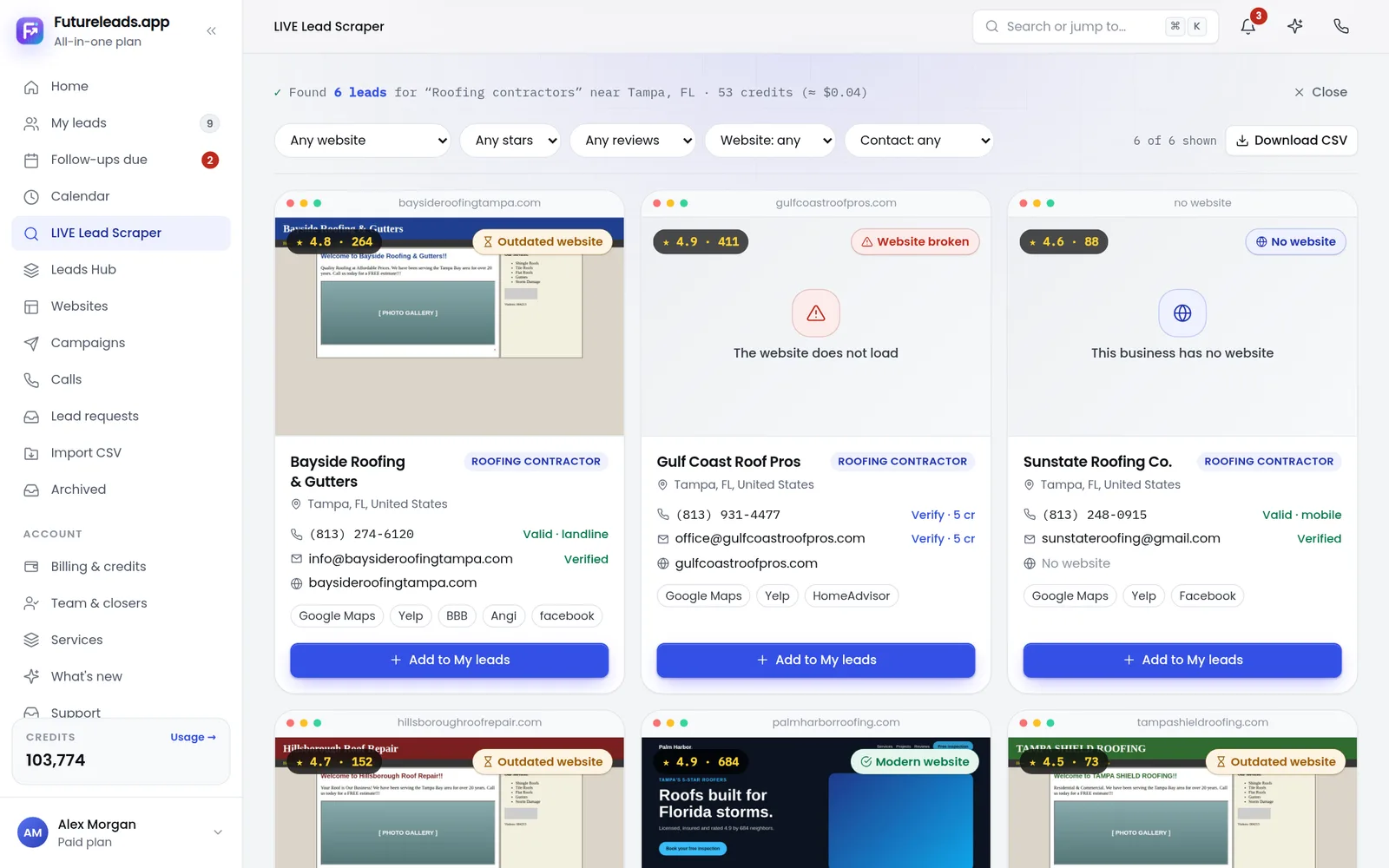
3. Know what "bad" actually means — and check it yourself
Not every ugly website is a bad website, and not every bad website is a pitch worth making. Before you contact anyone, know which problems actually matter to a local business owner.
- No mobile-friendly layout — most local visitors browse on their phone
- Very slow loading — people leave before the page even appears
- Broken pages, forms or links — quote and booking forms that don't send
- No clear contact info — phone, address or opening hours hard to find
- Outdated design or content — old prices, staff who left, wrong hours
- No SSL certificate — browsers show a "not secure" warning
Use a short website audit checklist for each lead — we have a full website audit checklist for small business you can copy. It takes two minutes per site and turns "your website is bad" into "your quote form doesn't work on mobile", which is a much stronger pitch.
4. Build a quick preview before you pitch
The fastest way to stand out is to show, not tell. Instead of writing "I can improve your website", send a link to a homepage preview of what their new site could look like.
Futureleads.app includes AI website previews: you build a homepage preview for a business in minutes and send the link (or a QR code) before they've paid you anything. The owner can see a real example on their own phone, which makes the conversation concrete instead of abstract.
- Pick a lead from your list with a clearly broken or outdated site
- Build a homepage preview with their business name, services and real photos if available
- Open the preview on your own phone and check it looks good on mobile
- Save the preview link — you'll include it in your first email or mention it on the call
Want to try this on a real business today? Start a free Futureleads.app account (no card) and generate your first live lead search plus an AI homepage preview in minutes.
Find businesses that need a website — freeor claim up to 3,000 FREE credits with a paid plan5. Reach out: email script you can copy
Your first message should be short, specific about their problem, and end with one small ask. Here's a template you can adapt:
- Hi {First Name},
- I was looking at {Business Name} online and noticed your quote form doesn't work on phones (and the site takes a while to load).
- I'm a local web designer, and I put together a quick preview of what a faster, mobile-friendly version could look like: {preview link}
- No strings attached — if you like it, I can walk you through the rest in a 10-minute call this week.
- Best,
- {Your Name}
Subject: Quick question about {Business Name}'s website
Mention the specific problem you found, not a generic pitch. If you need more subject line ideas, see our cold email subject lines for web design, and for a full email framework, check the web design cold email template. Plan your follow-ups in advance with this guide to cold email follow-up for web designers — most replies come after the second or third message, not the first.
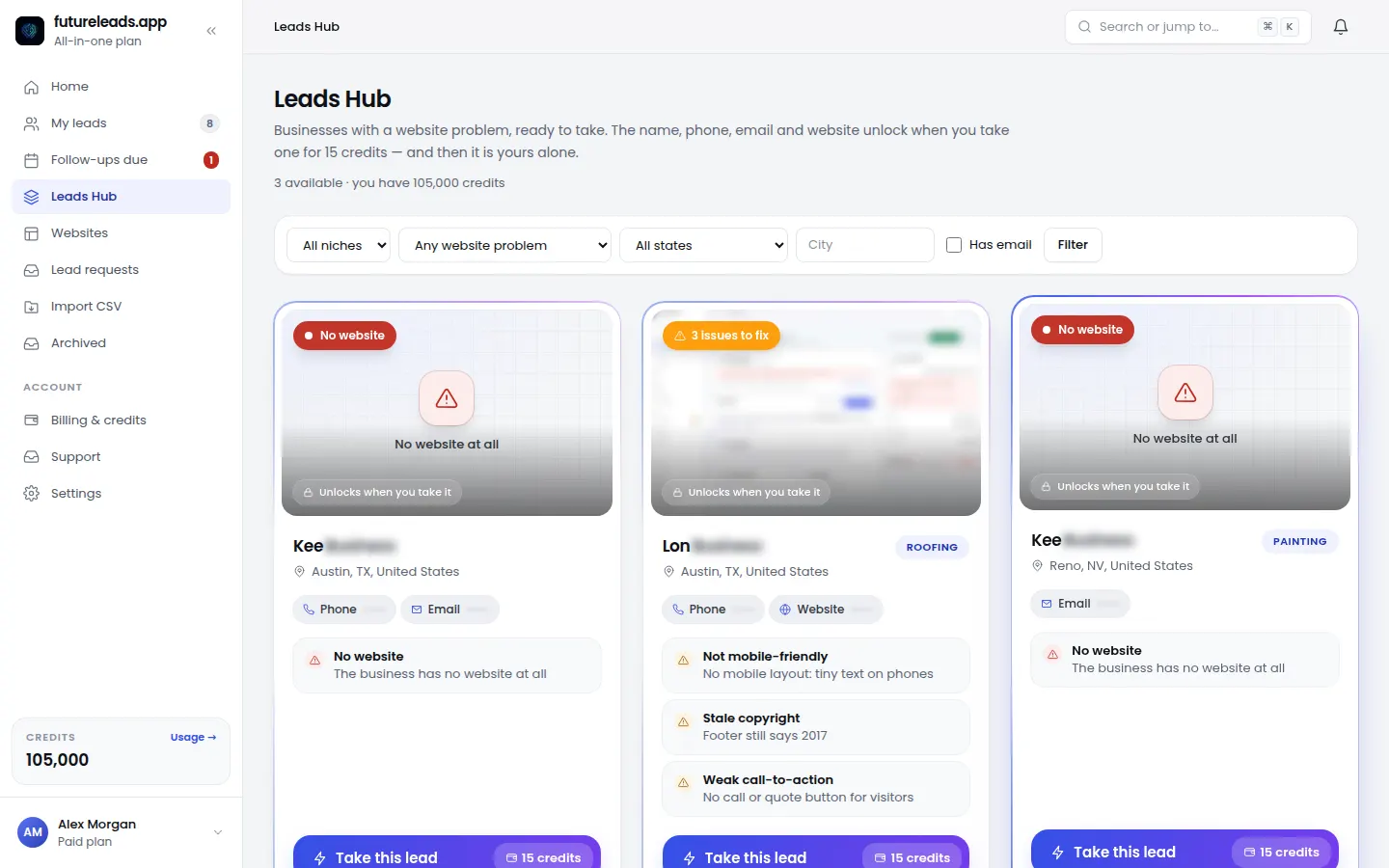
6. Call the leads that don't reply to email
Email works, but a short phone call often closes faster with local owners. When you call, lead with the specific problem and the preview, not a sales pitch.
- "Hi, is this {Name}? I'll be quick — I was looking at {Business Name} online and noticed your website isn't working properly on mobile."
- "I'm a local web designer, and I actually built a quick preview of a fixed version. Can I text you the link so you can look at it on your phone?"
- "If you like what you see, would 10 minutes on Thursday work to talk about what a rebuild would involve?"
Simple opening script:
Futureleads.app has a built-in dialer, so you can call leads straight from your browser, with call history and notes saved on each lead. If they don't pick up, use our voicemail script for cold calling and read our full cold calling script for web design clients. Not sure how much calling is healthy? Here's a guide on how many cold calls per day makes sense.
7. Track every lead in one place and follow up
The biggest mistake designers make with a good lead list: losing track of who they contacted and when. A spreadsheet works at first, but it breaks down fast once you have calls, emails and follow-ups happening at the same time.
- The problems found on their current website
- Every email sent and every call made, with dates
- The next follow-up date
- The current status: new, contacted, interested, proposal sent, won, lost
Keep, for every lead:
Futureleads.app includes a simple CRM with lead statuses, notes, follow-ups and deals, plus cold email campaigns from your own Gmail or SMTP account with automatic follow-ups. If you work with others, you can add closers, assign leads and see their calls and deals. For more on structuring your pipeline, read lead generation for web designers and our pick of the best CRM for freelancers.
8. Checklist: your week finding and contacting bad-website leads
- Day 1 — Pick a niche and city, run your first lead search
- Day 2 — Audit your top 20 leads against the checklist in section 3
- Day 3 — Build 5 AI homepage previews for your best leads
- Day 4 — Send first emails with the preview link included
- Day 5 — Call leads that haven't opened or replied
- Day 6 — Send follow-up #1 to non-repliers
- Day 7 — Review replies, book calls, send proposals to interested leads
When a lead shows interest, move fast. Send a clear proposal using our website design proposal template, and follow up properly with this guide on how to follow up after sending a proposal. For pricing your rebuild, see how to price a website for a small business.
9. Common mistakes to avoid
- Pitching design instead of problems. Owners don't care that the site is "ugly" — they care that it loses them calls and bookings.
- Sending the same email to everyone. Name the exact issue you found on their site.
- Contacting only once. One email and one call is not outreach; plan 4–6 touches across email and phone.
- Skipping the preview. A concrete preview beats a paragraph of promises every time.
- No tracking. If you can't see who to follow up with today, your pipeline stalls.
Want a broader picture of where clients come from? Read where to find web design clients and our guide on signs a business needs a new website.
Ready to find businesses with bad websites in your city? Start a free Futureleads.app account — no card needed — and run your first live lead search today.
Find businesses that need a website — freeor claim up to 3,000 FREE credits with a paid planPick a package: every feature is included in each, paid plans add FREE bonus credits every month, or start free with no card.
Basic
$9.99/month
11,500 credits a month
+ 1,000 FREE credits
- About 261 done-for-you leads
- or 88 AI website previews
- All features included
Pro
$39/month
50,000 credits a month
+ 1,500 FREE credits
- About 1,136 done-for-you leads
- or 384 AI website previews
- All features included
Premium
$79/month
105,000 credits a month
+ 3,000 FREE credits
- About 2,386 done-for-you leads
- or 807 AI website previews
- All features included
Frequently asked questions
How do I find businesses with bad websites in my area?
Search local business listings for your niche and city, then check each site for speed, mobile-friendliness and broken features. A tool like Futureleads.app does this automatically and gives you a ready list with contacts and the problems found.
What counts as a bad website?
Slow loading, not mobile-friendly, broken forms or links, missing contact info, no SSL and clearly outdated content. Any of these directly cost a local business leads.
How do I approach a business about their bad website without insulting them?
Lead with the specific problem and the cost to them, not criticism. Mention what you found (like a broken quote form on mobile) and offer to show a preview of a fix instead of listing everything wrong with their site.
Should I email or call businesses with bad websites?
Do both. Email lets you include a homepage preview link, while calls get faster answers from busy local owners. Start with email, then call the ones who don't reply within a few days.
How many bad-website leads should I contact before expecting a client?
There's no fixed number, but outreach works like a funnel: contact 30–50 leads, expect a mix of silence, interest and replies. Consistent follow-up matters more than the size of the list.