Contractors are busy on job sites, most have weak or missing websites, and they pay well once they trust you. This guide shows you how to build a steady pipeline of website for contractors leads: where to find them, what to say, and how to close without haggling.
Here is the short version: pick a trade and a city, build a list of contractors with no site or a broken one, send a homepage preview they can open on their phone, then follow up by email and phone on a schedule. Futureleads.app automates every step of that loop.
Why contractors are one of the best local web design niches
Roofers, electricians, landscapers, plumbers and general contractors all sell jobs worth thousands of dollars, yet many still run everything through word of mouth. When a homeowner searches for them online and finds nothing, that contractor loses jobs without knowing it. That is exactly the pain you solve, and it is easy to explain in one sentence.
Contractors also have money and a real reason to spend it: one extra job usually pays for the website many times over. Compare that to selling sites to cafés or boutiques, where the ROI is fuzzy. If you want a deeper look at picking trades, see our guide on businesses without websites.
The 7-step system at a glance
- Pick one trade and one city to start
- Build a list of contractors with no site, a slow site, or a non-mobile-friendly site
- Find the owner's name, email and phone number
- Send a cold email with a free homepage preview
- Follow up two or three times, then call
- Book a short call, quote the site, send a proposal
- Track every lead in a simple CRM so nobody slips through
Each step is broken down below. Nothing here requires a big team or ad budget, just consistency.
Step 1: Pick one trade and one city
Generalists struggle because every pitch is generic. Specialists win because your emails, previews and pricing all speak one language. Start with a trade you can talk about: roofing, HVAC, fencing, painting, concrete, landscaping, electrical, plumbing.
- Trade: one niche so your copy and portfolio fit perfectly
- City: a metro where you know the market and can name local landmarks
- Goal: 50–100 contractor leads in your first list
Once one city works, you clone the system in the next city. That is how agencies scale this model.
Step 2: Build your contractor lead list
You need contractors who actually need a website: no site at all, a slow site, one that looks broken on mobile, or no clear way to contact them. Manually checking each business takes forever, so this is where Futureleads.app earns its keep. Search "roofers in Tulsa" or "landscapers in Bristol" and you get a list of local contractors with phone numbers, emails and the exact website problems found.
Every lead goes straight into your Leads Hub, ready to contact. That means less time on research and more time on outreach. For a full walkthrough of finding businesses this way, read find local businesses without websites.
Step 3: Get the owner's contact details
Small contractors usually answer their own phones and read their own email. When you pull leads from Futureleads.app, the phone and email are already attached to each record, so you can move straight to outreach.
If you go the manual route for any lead, check the business listing, Facebook page and any invoice or quote templates they share publicly. One correct contact beats ten guessed ones, and it keeps your sender reputation clean.
Step 4: Send a homepage preview instead of a pitch
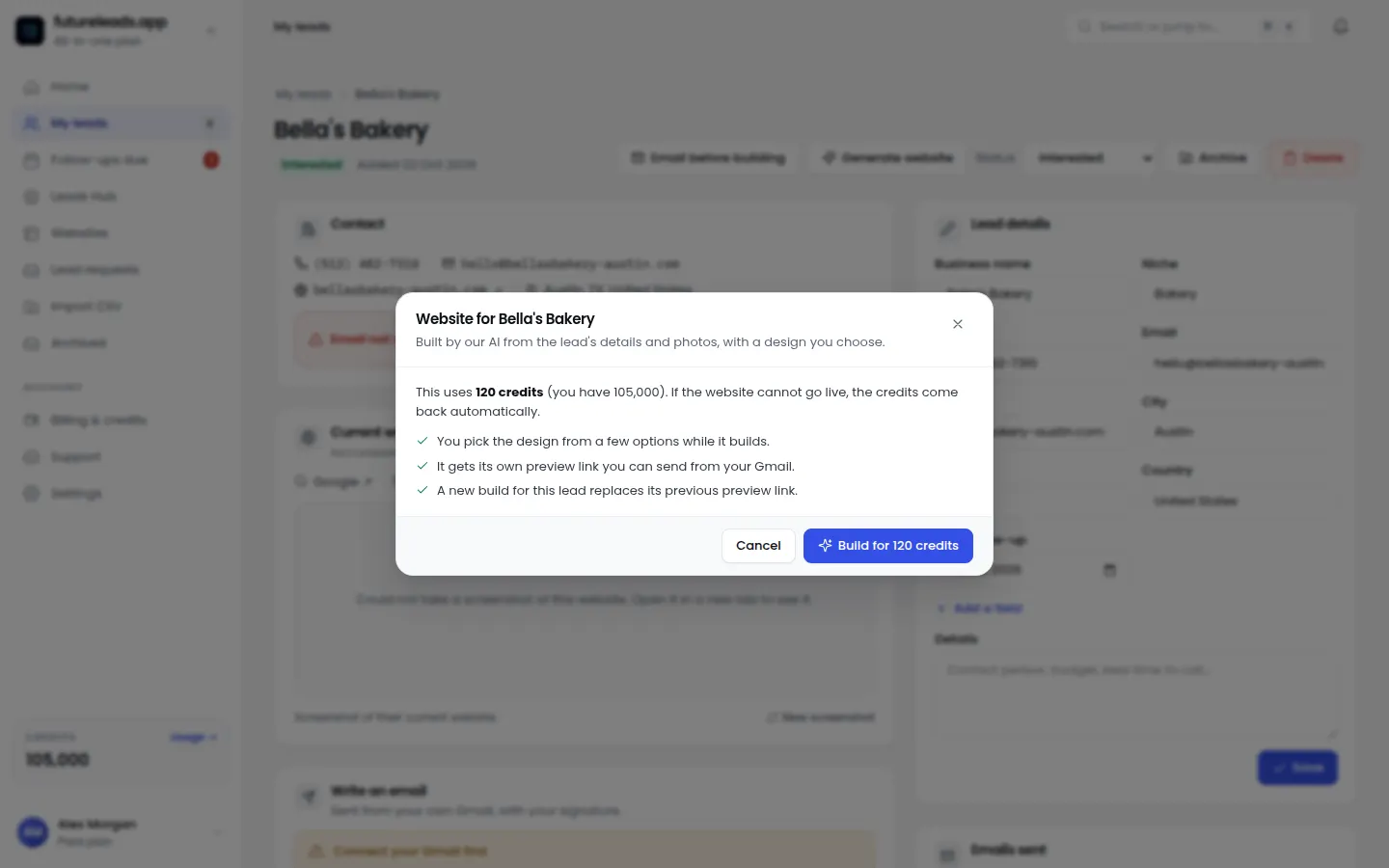
Contractors do not read long emails about "digital presence". They respond when they can see something real. Build a simple homepage preview for their business and send the link. With Futureleads.app, the AI website preview takes minutes: a contractor-branded homepage with their name, trade, city and phone number, hosted on a shareable link they can open on a job site.
Use this ready-to-copy template:
Subject: Quick homepage mockup for {Business Name} Hi {First Name}, I put together a homepage mockup for {Business Name} — you can see it here: {preview link}. Most homeowners in {City} search online before calling a {trade}, and right now {Business Name} is hard to find. The mockup shows how you could look: your photos, your services, one big "Call Now" button. Worth a 10-minute chat this week? {Your name}, {Your agency}
For more subject line ideas, see cold email subject lines for web design.
Want to try this today? Start a free Futureleads.app account — no card needed — run one live lead search, and send your first contractor a preview link.
Find businesses that need a website — freeor claim up to 3,000 FREE credits with a paid planStep 5: Follow up without being annoying
Most contractors are on a roof or a job site when your email lands. Silence usually means "not now", not "no". Plan two or three email follow-ups spaced a few days apart, each shorter than the last. Example follow-up:
Subject: Re: Quick homepage mockup for {Business Name} Hi {First Name}, just floating this back up. The mockup is still live here: {preview link}. If the timing is wrong, tell me when to check back and I will.
Full sequences are covered in cold email follow-up for web designers and website redesign cold email.
Step 6: Pick up the phone
Phone is where contractors are easiest to reach. After your second email, call. Use a simple opener:
"Hi, this is {Name}. I emailed you a homepage mockup for {Business Name} — did that come through okay?"
If they have not seen it, offer to text the link. If they have, ask one question: "If that homepage brought you two extra jobs a month, what would that be worth?" Then book a short call. Our cold calling script for web design clients gives you the full word-for-word version, plus a voicemail script for cold calling for when they do not pick up.
Step 7: Track everything in one place
Leads die in inboxes and sticky notes. You need one view of who got which email, who was called, who owes you a follow-up, and where every deal stands. Futureleads.app includes a simple CRM with lead statuses, notes and follow-up reminders, plus a browser dialer with call history — so email, calls and pipeline live in one screen.
If you bring on help later, you can add closers, assign leads and see their calls and deals. That is the same system described in hire a closer for your agency.
Checklist: your first week of contractor outreach
- Pick your trade and city
- Build a list of 50 contractors with website problems
- Create 10 homepage previews
- Send 10 first emails with preview links
- Send 10 follow-ups to last week's batch (once rolling)
- Call everyone who opened but did not reply
- Log every touch in your CRM
- Book as many 10-minute calls as possible
When a contractor bites, move them through a quote and proposal using how to price a website for a small business and our website design proposal template. Then keep them on a care plan for monthly income — see website maintenance packages for small business.
Quick comparison: manual research vs. a lead tool
- Manual searching: free but slow, inconsistent data, no way to track outreach
- Futureleads.app: targeted searches by niche and city, problems flagged per business, contacts included, previews, email campaigns, dialer and CRM built in; paid packages from $9.99/month with a free account to start
Ready to build your contractor pipeline? Create your free Futureleads.app account today — no card required — and pull your first list of contractors who need a website.
Find businesses that need a website — freeor claim up to 3,000 FREE credits with a paid planPick a package: every feature is included in each, paid plans add FREE bonus credits every month, or start free with no card.
Basic
$9.99/month
11,500 credits a month
+ 1,000 FREE credits
- About 261 done-for-you leads
- or 88 AI website previews
- All features included
Pro
$39/month
50,000 credits a month
+ 1,500 FREE credits
- About 1,136 done-for-you leads
- or 384 AI website previews
- All features included
Premium
$79/month
105,000 credits a month
+ 3,000 FREE credits
- About 2,386 done-for-you leads
- or 807 AI website previews
- All features included
Frequently asked questions
How do I find contractors who need a website?
Search local contractors by trade and city and look for missing, slow or non-mobile-friendly sites. Futureleads.app does this search for you and flags the exact problems, with contact details attached.
Should I email or call contractors first?
Email first with a visible homepage preview, then call after a couple of emails. Contractors are hard to catch mid-job, so a link they can open on their phone plus patient follow-up works best.
What should I charge a contractor for a website?
Price against the value of extra jobs, not hours. A simple lead-generation site with a strong call button, service pages and photos is a well-scoped starting package.
How many follow-ups before giving up on a contractor lead?
Plan two to three email follow-ups plus one or two calls over two to three weeks. Busy tradespeople often reply on the third or fourth touch.
Do I need a portfolio before selling to contractors?
No. A single tailored homepage preview for their business replaces a portfolio and proves you understand their trade. That is exactly what the AI preview in Futureleads.app is for.