Website pricing for clients is the part of a project most designers dread: you send a quote, the reply goes quiet, and you're left wondering if the number was too high or too low. The good news is that pricing is a process, not a guess, and you can learn it in a single afternoon. This guide walks you through seven steps: from scoping the project and choosing a pricing model, to presenting your quote, handling "how much does a website cost?" and following up until you get a yes or a no.
By the end, you'll have a repeatable way to price any local business website, copy-paste scripts for the pricing conversation, and a checklist so nothing slips through. If you're still figuring out how to price a website for a small business in general, this article focuses on the client-facing side: how to talk about the price so it gets accepted.
Step 1: Scope the project before you name a price
Never quote a website in the first two minutes of a conversation. "A website" can mean a one-page site for a barber or a 12-page site with booking, payments and a blog. If you price too early, you'll either underprice a big job or scare off a small one.
Before any number leaves your mouth, find out:
- What the website must do (get calls, take bookings, show a menu, sell products)
- How many pages and how much content exists already
- Who writes the text and provides photos
- Whether they need ongoing help or just a build
- When they want it live and why (event, season, franchise requirement)
A short client questionnaire makes this easy. Send three to five questions before your call, then use the call to confirm details. Scoping first also positions you as a professional, not a freelancer reacting to "can you do a site for 200?"
Step 2: Choose a pricing model that fits the client
There are three models that work for local business clients. Pick one per project and stick to it — mixing models in the same quote confuses people.
Fixed price: one number for a defined scope. Best for simple 3–5 page sites with clear requirements. Clients love it because there are no surprises.
Tiered packages: good-better-best options, e.g. Starter, Business, Pro. Great when clients ask "what do you charge?" too early — you can answer with options instead of one number. See our guide to web design pricing packages for tier ideas.
Build fee + monthly care plan: a setup fee for the build plus a monthly fee for hosting, updates and support. This creates recurring revenue and keeps clients from calling you every time they need a change.
For most local businesses, the third model wins: they don't want to think about hosting, updates or backups, and you get predictable income. If maintenance is part of your offer, our article on how much to charge for website maintenance covers the monthly side in detail.
Step 3: Price on value, then sanity-check the hours
Local business owners don't buy "40 hours of development." They buy more calls, more bookings and a site that doesn't embarrass them. So anchor your price to outcomes, then check it against your hours so you don't accidentally work for minimum wage.
A simple two-way check:
- Estimate your hours (build, content, revisions, meetings) and multiply by your target hourly rate.
- Ask what one new customer per month is worth to the business. If a website brings even a few extra customers a year, a modest one-time price pays for itself quickly — say this in the conversation, in the client's terms.
- If your hours-based number is far below the value the site creates, raise it. If it's far above what the business could plausibly justify, reduce scope instead of cutting the rate (fewer pages, client supplies content).
Step 4: Present the price as options, not a single number
A single number invites a yes/no decision. Three options invite a "which one?" decision — a much easier conversation. When presenting website pricing for clients, structure it like this:
- Option 1 — Essential: the minimum viable site (for example 3–5 pages, mobile-friendly, contact form).
- Option 2 — Recommended: your sweet spot, clearly marked as the option you'd choose for them.
- Option 3 — Growth: more pages, booking, extra features, or a monthly care plan bundled in.
Most clients choose the middle option because you recommended it. Put every option in a written proposal — our website design proposal template shows exactly how to lay it out, including what to include about timelines and revisions.
Step 5: Handle the four most common pricing objections
You'll hear the same objections over and over. Prepare answers so the price conversation never throws you off.
"That's too expensive." "I understand. Which part of the price feels high — the build or the monthly plan?" This tells you whether to reduce scope or explain the care plan. Never lower your rate on the spot.
"My nephew can do it for free." "He can — and if it works out, great. Most business owners come to me when the free version doesn't show up on phones or bring calls. I'd rather build it right the first time." Stay friendly, don't argue.
"Can I pay in installments?" Yes — this is a buying signal, not a rejection. Offer 50% upfront, 50% at launch, or three payments.
"I need to think about it." "Of course. What's the one thing you'd need to be sure about?" You'll either resolve a real concern or learn it's a no — both are useful.
If cold objections are common in your pipeline, our cold calling script for web design clients includes the pricing part of the call, and how to sell websites to local businesses covers the full sales conversation.
Want more local businesses to quote? Start a free Futureleads.app account (no card) and search your niche and city to find businesses with no website or a broken one — with phone and email ready to contact.
Find businesses that need a website — freeor claim up to 3,000 FREE credits with a paid plan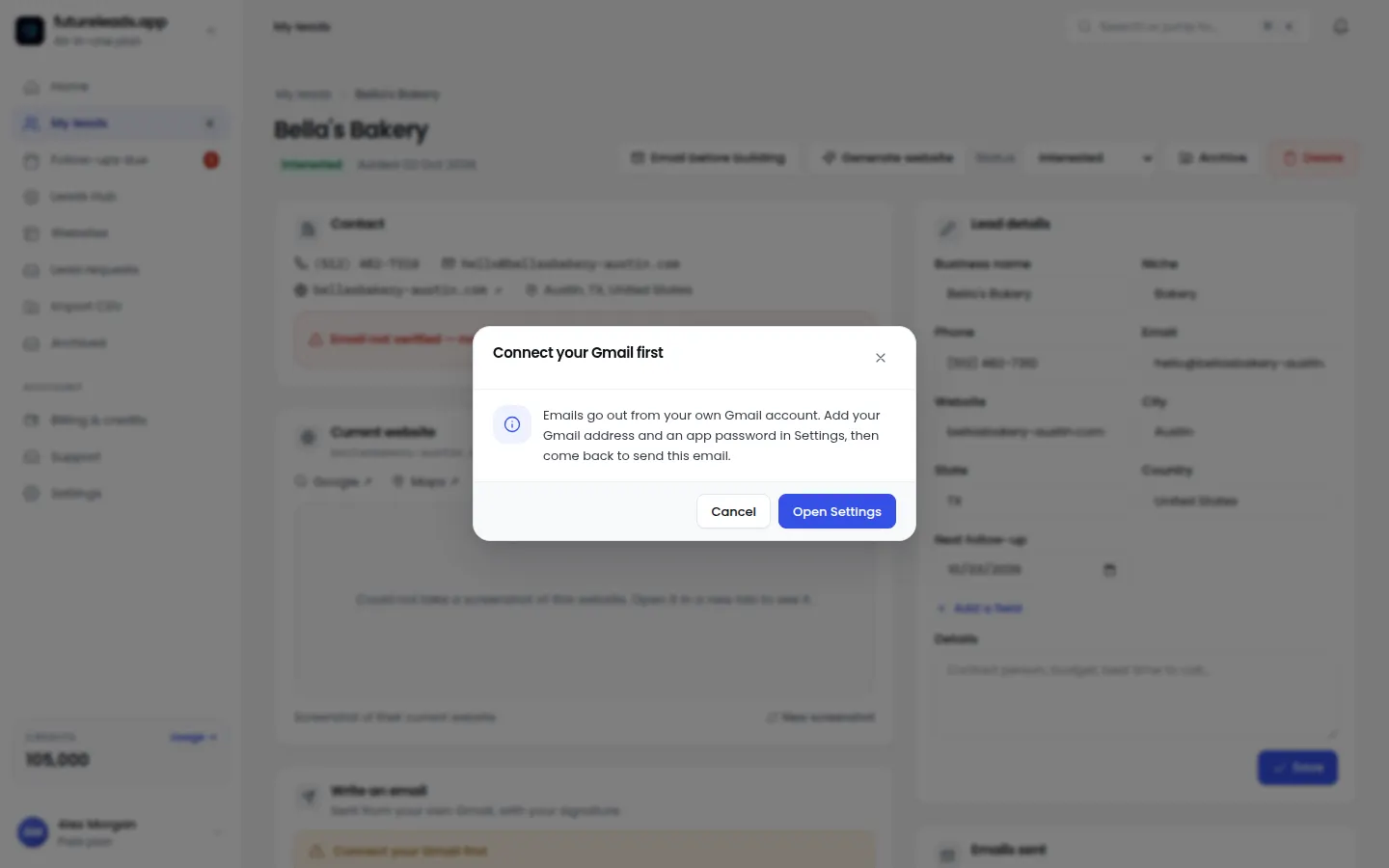
Step 6: Show the value before they pay — with a preview
The fastest way to justify your price is to show the work, not describe it. Instead of saying "I'll build a modern, mobile-friendly site," build a quick homepage preview and send a link. The owner sees their own business on a clean new design — and suddenly your price is compared to a real thing, not to their cousin's free offer.
Futureleads.app includes AI website previews for exactly this: you generate a homepage preview for the business in minutes and send the link or a QR code before they've paid anything. Pair it with your quote: "Here's a preview of what your new homepage could look like — the full quote is below." It turns your pricing conversation into a show-and-tell.
This works especially well for businesses with weak or outdated sites. Our guides on how to find businesses with bad websites and the signs a business needs a new website show you how to pick good targets.
Step 7: Put everything in writing and follow up
Verbal prices get forgotten and renegotiated. Always send a short written proposal with the scope, the options, the payment terms and a validity date (for example 14 days). Then follow up — most quotes die from silence, not rejection. Use a structured follow-up after sending a proposal rather than waiting and hoping.
Here's a copy-paste follow-up message:
"Hi [Name], I sent over the proposal for your new website on [day] — did you get a chance to look at it? If anything in the pricing isn't clear, happy to walk you through the options on a quick call. If it's a no for now, just let me know and I'll stop chasing. Thanks!"
Keep every lead, quote and follow-up in one place. Futureleads.app has a simple built-in CRM with statuses, notes and follow-ups, plus a browser dialer if you prefer to close pricing questions on the phone. If you work with others, you can assign leads to closers and track their calls and deals in one dashboard.
Website pricing checklist: before you send any quote
Run through this before every quote so your website pricing for clients stays consistent and profitable:
- Scope confirmed in writing (pages, features, who provides content)
- Pricing model chosen (fixed, tiered, or build + monthly care plan)
- Hours estimated and checked against target rate
- Three options prepared, middle one recommended
- Payment terms set (50% upfront is standard)
- Validity date on the proposal (two weeks)
- Follow-up dates scheduled before you hit send
- A live preview link ready to attach
Common pricing mistakes to avoid
- Quoting before scoping — the fastest way to lose money or the client.
- Discounting instead of reducing scope — it trains clients to push your prices down.
- Charging hourly for a fixed-scope site — clients see hours, not value, and every revision feels like a negotiation.
- Forgetting the monthly side — a care plan is easier recurring revenue than constantly finding new builds. See website maintenance packages for how to structure one.
- No payment upfront — always take a deposit before work starts.
- One number, one option — always give a choice.
How to get better at quoting: practice on real leads
Pricing is a skill built through repetition. The more businesses you scope and quote, the faster and more confident you get. That's why pipeline matters: you need a steady stream of local businesses to talk to, not one lead a week.
A simple weekly routine: pick a niche and city, find businesses with no website or a weak one, send a short email with a preview, and quote the ones who reply. Our guides on how to find web design clients, the web design cold email template and cold email follow-up for web designers give you the exact outreach side of this loop.
Ready to fill your pipeline? Create a free Futureleads.app account (no card needed) and run your first live lead search today — then use the seven steps above to quote with confidence.
Find businesses that need a website — freeor claim up to 3,000 FREE credits with a paid planFrequently asked questions about website pricing for clients
- How much should I charge a small business for a website?
- There's no universal number — price the scope, not the size of the business. Estimate your hours against your target rate, sanity-check against the value the site creates (extra calls and bookings), and present two or three options instead of one figure.
- Should I charge hourly or a fixed price for a website?
- Use a fixed price for defined scopes so the client gets certainty and you get paid for the result, not your speed. Reserve hourly rates for open-ended work like ongoing updates or consulting.
- How do I explain my website price to a client who thinks it's too expensive?
- Ask which part feels high, then either reduce scope (fewer pages, client supplies content) or reframe the value: the price against the cost of missing customers. Avoid instant discounts — they devalue every future quote.
- Do I need to take a deposit before starting a website?
- Yes. Take around 50% upfront before any work begins, with the balance at launch. It filters out non-serious clients and protects your cash flow.
- What's the best way to send a price to a client?
- Send a short written proposal with two or three options, what's included, payment terms and a validity date — ideally alongside a homepage preview so they see the value before they decide.
Pick a package: every feature is included in each, paid plans add FREE bonus credits every month, or start free with no card.
Basic
$9.99/month
11,500 credits a month
+ 1,000 FREE credits
- About 261 done-for-you leads
- or 88 AI website previews
- All features included
Pro
$39/month
50,000 credits a month
+ 1,500 FREE credits
- About 1,136 done-for-you leads
- or 384 AI website previews
- All features included
Premium
$79/month
105,000 credits a month
+ 3,000 FREE credits
- About 2,386 done-for-you leads
- or 807 AI website previews
- All features included