You can start a website design business from home with little more than a laptop, a free day, and a way to find local businesses that need websites. The business model is simple: find small businesses with no site or a broken one, show them what a better site would look like, and get paid to build it.
This guide walks you through the seven steps that actually matter — picking a niche, setting up your home office, finding leads, making contact, sending previews, closing deals, and building recurring income. No fluff, no expensive tools required to start.
1. Pick a niche and a local territory
The fastest way to look like an amateur is to say "I build websites for anyone." Pick one type of business and one area. Specialists close faster because their pitch, examples and pricing all line up with one buyer.
Good niches for beginners are trades and local services: plumbers, dentists, roofers, gyms, salons, landscapers. They have real revenue, real urgency (a broken site costs them calls), and they rarely have in-house marketing staff. For more ideas, see our list of web design niche ideas.
- Pick one niche (e.g. dentists or roofers) and one city or region
- Learn that niche's language: what a 'lead' or 'booking' is worth to them
- Collect 3–5 example problems their websites usually have
- Stick with the niche until you've closed 5+ clients, then expand
2. Set up your home business properly
You don't need an office, but you do need to look legitimate. Local business owners are handing you their public face — a sloppy setup kills trust before your portfolio does.
- Register your business name according to your local rules and open a separate bank account
- Set up a professional email on your own domain (name@yourbrand.com, not Gmail)
- Build a simple one-page portfolio site — even two demo projects are enough to start
- Create a simple contract template and a way to send invoices
- Set up a payment method clients actually use: bank transfer, card, or a payment link
If you're worried about having no portfolio, don't be. Build two or three demo sites for imaginary local businesses in your niche. They prove your skill, and they double as the previews you'll show prospects later. Our guide on starting a web design business with no experience covers this in more depth.
3. Build a list of local businesses that need websites
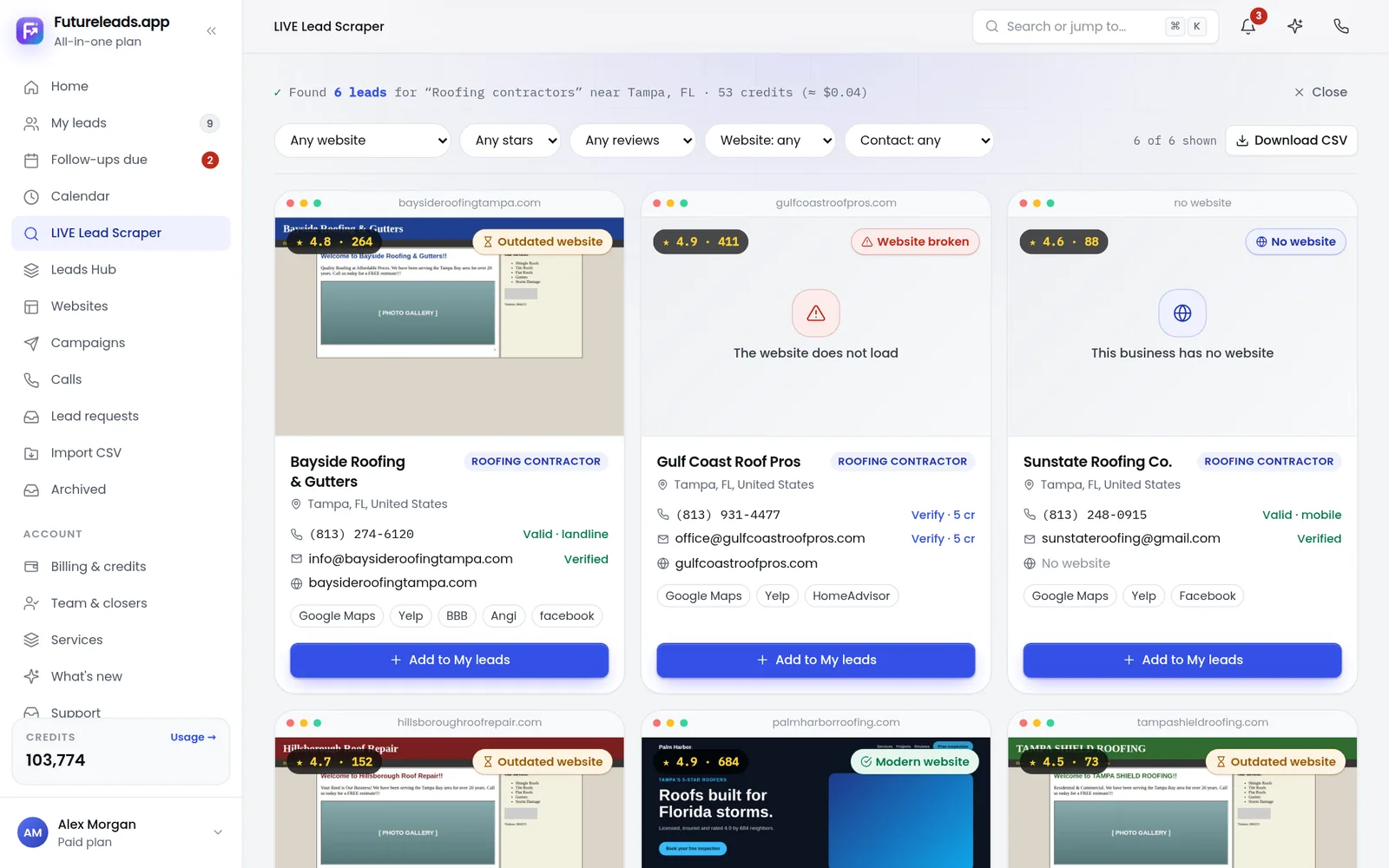
This is the step that separates people who make money from people who don't. You don't wait for clients to find you — you go find businesses with a visible problem: no website, a broken site, a site that doesn't work on phones, or no way to contact them online.
Search local directories and businesses without websites in your niche and city, and check each one: does the site load, does it work on mobile, is there a working contact form? This is exactly what Futureleads.app automates: search any niche and city and get a list of local businesses with no website or a broken, slow or not-mobile-friendly one — with phone numbers, emails and the specific problems found. Your prospecting list builds itself in minutes instead of days.
Aim for a list of 50–100 prospects before you contact anyone. A full pipeline means one bad day never stops your momentum. Learn the full process in our guide on how to find local businesses without websites.
4. Make first contact: email and calls
Most local business owners won't answer an unknown number, and most won't open a vague email. Your first message has to be about their problem, not your services. Lead with the specific issue you found on their site.
Here's a cold email template you can copy and adapt:
Subject: Quick question about [Business Name]'s website Hi [First Name], I tried to find [Business Name] on my phone earlier and your site wouldn't load properly on mobile — I nearly gave up before I found your number. I build websites for [niche] in [city]. I actually put together a quick homepage preview showing what a faster, mobile-friendly version could look like — want me to send it over? No strings attached. [Your Name] [Phone / Website]
For calls, keep it to one sentence about who you are and one about their problem, then ask a question. Our full cold calling script for web design clients and web design cold email template give you complete word-for-word versions, and cold email subject lines for web design will get your emails opened in the first place.
5. Show a preview before you ask for money
Here's the single biggest shortcut for a home-based beginner with no reputation: don't describe what you'd build — show it. A business owner who sees their own business name on a clean, modern homepage stops comparing you to their nephew "who does websites" and starts seeing the result.
With Futureleads.app you can build an AI website preview for a business in minutes and send them a link or QR code before they've paid anything. It turns "I could maybe build you a site" into "here it is, on your phone, right now." For a local business owner, seeing is deciding.
Want to try this today? Start a free Futureleads.app account (no card needed) and find local businesses in your niche with no website or a broken one — then send your first preview.
Find businesses that need a website — freeor claim up to 3,000 FREE credits with a paid plan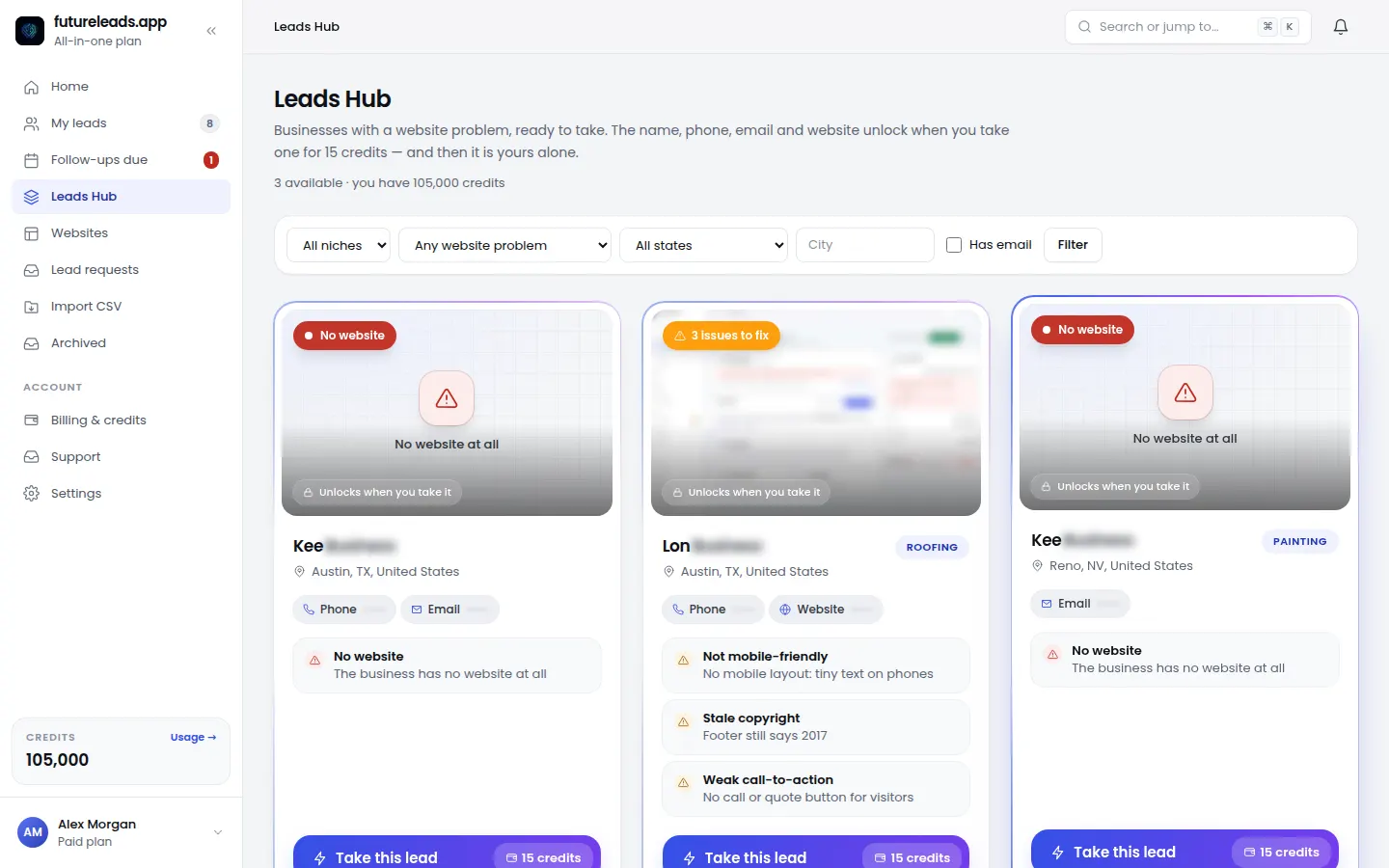
6. Price it, propose it, close it
Don't guess your prices in the sales call. Decide your packages before you talk to anyone: a simple starter site, a standard package with more pages, and a premium option. Our guide on web design pricing packages shows how to structure tiers that local clients actually choose from, and how to price a website for a small business covers the thinking behind the numbers.
When a prospect is warm, send a short written proposal — scope, timeline, price, next step. Keep it to one or two pages; long proposals get filed and forgotten. Use our website design proposal template and follow up properly with the advice in how to follow up after sending a proposal.
Track every lead in one place from day one. A simple CRM — statuses, notes, follow-up dates, deals — is the difference between "I think someone was interested last week" and a pipeline you can actually work. This is another thing Futureleads.app handles in the same dashboard as your leads and emails, so nothing falls through the cracks.
Pre-close checklist — before any sales call, confirm:
- You know the specific problem with their current site (or that they have none)
- You have a preview or examples ready to show
- You know your three price tiers by heart
- You know what the next step is if they say yes (deposit, contract, kickoff)
7. Deliver, then build recurring income
Delivering your first project well is your entire marketing budget for the next one. Local business owners talk to each other. Finish on time, train the client on their site, and ask for a referral and a review while they're happy.
Then turn one-off projects into monthly income. Every website needs hosting, updates, backups and small changes — and local owners will happily pay someone reliable to handle it. Structure your offers with our guide to website maintenance packages and how much to charge for website maintenance. Ten maintenance clients at a modest monthly fee can match the income of several new builds — without any new selling.
As you grow, you can hire a closer for your agency to handle calls while you build, and manage the whole team's leads and deals in one place.
Your first 30 days, week by week
- Week 1: pick your niche and city, set up your domain and email, build one demo site
- Week 2: build a prospect list of 50–100 local businesses with website problems and send your first 20 emails
- Week 3: follow up, make your first calls, send previews to everyone who responds
- Week 4: send proposals, close your first client, ask for a referral immediately after delivery starts well
Keep the machine running: a daily block for finding leads, a daily block for outreach, and a daily block for follow-ups. For the full system, read our guide on lead generation for web designers.
Ready to build your pipeline today? Start a free Futureleads.app account (no card required) to find local businesses that need a website, send previews, and track every lead in one dashboard.
Find businesses that need a website — freeor claim up to 3,000 FREE credits with a paid planFrequently asked questions
Pick a package: every feature is included in each, paid plans add FREE bonus credits every month, or start free with no card.
Basic
$9.99/month
11,500 credits a month
+ 1,000 FREE credits
- About 261 done-for-you leads
- or 88 AI website previews
- All features included
Pro
$39/month
50,000 credits a month
+ 1,500 FREE credits
- About 1,136 done-for-you leads
- or 384 AI website previews
- All features included
Premium
$79/month
105,000 credits a month
+ 3,000 FREE credits
- About 2,386 done-for-you leads
- or 807 AI website previews
- All features included